Start Node
The Start node is the entry point of every AgentFlow. It decides how a conversation begins — from a chat box, a form, or an incoming webhook — and it holds the flow-wide settings for memory and Flow Variables. Every flow has exactly one Start node.
Adding it to a flow
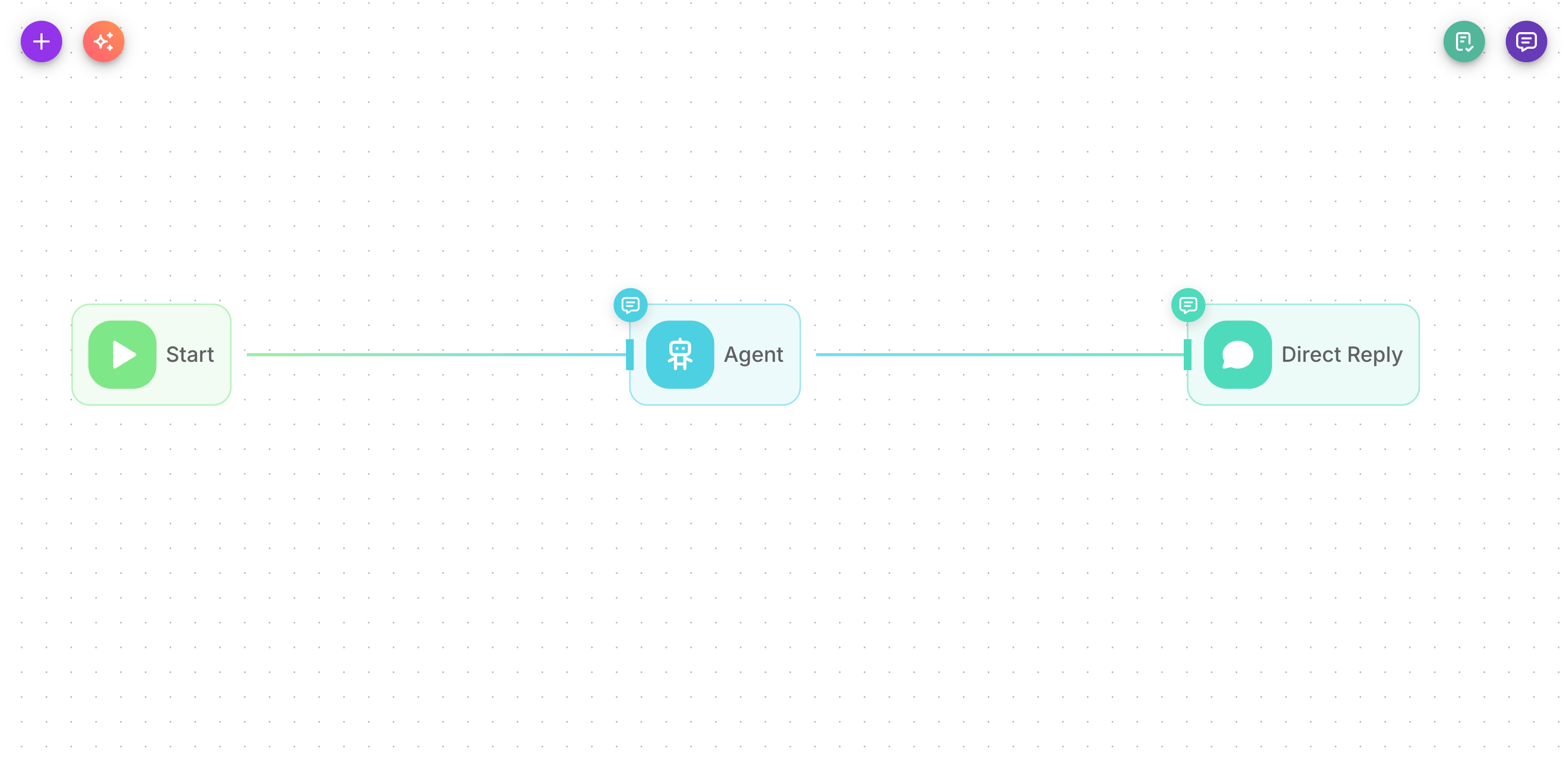
A Start node is placed on the canvas automatically when you create a new AgentFlow. You connect the first working node (an Agent, LLM, Condition, etc.) to its output to build the rest of the flow.
Inputs
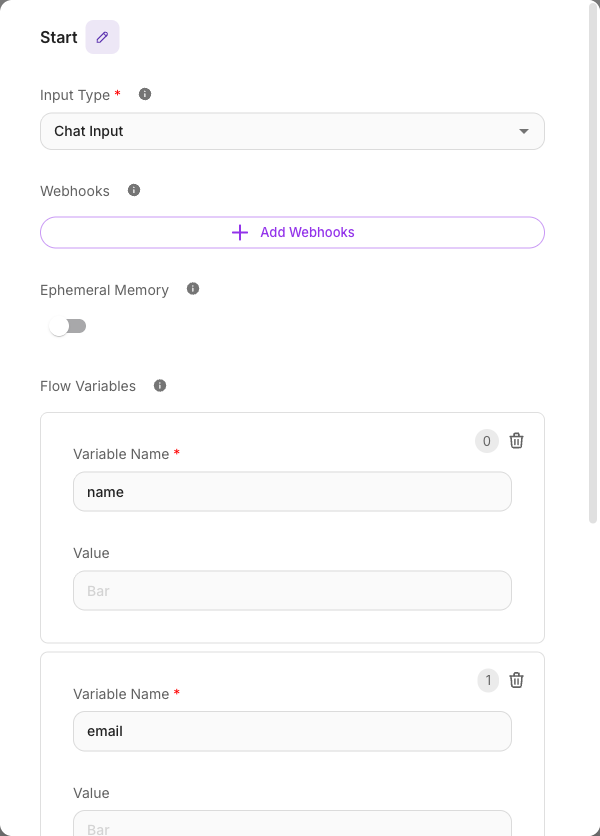
| Parameter | Description | Required |
|---|---|---|
| Input Type | How the flow is triggered from Flowera's own surfaces: a Chat Input conversation. | Yes |
| Webhooks | One or more external triggers that start this flow — Custom Webhook, Instagram Business, WhatsApp Business, or Zoho CRM. Each webhook gets its own URL and security settings. | No |
| Ephemeral Memory | When on, the flow starts fresh on every run with no past chat history. Leave off to keep conversation history across turns. | No |
| Flow Variables | Key/value pairs that seed the flow's shared state. Later nodes can read them with {{$flow.state.<key>}} and update them as the flow runs. | No |
| Persist Variables | When on (the default), Flow Variables are kept across turns within the same session. When off, state only lives for a single run. | No |
The trigger you choose under Input Type and Webhooks completely changes which fields appear and which variables become available in the flow. Each trigger type has its own dedicated page — see Start Triggers.
The trigger sequence
Think of the Start node in three parts:
- Pick how the flow begins. For in-app conversations, set the Input Type to Chat Input. To trigger from an outside system or a connected channel, add a Webhook instead.
- Configure that trigger. Each trigger exposes its own settings — for example, a Custom Webhook lets you choose a verification method, while an Instagram webhook lets you pick the account and the events to listen for.
- Set up memory and state. Decide whether the flow remembers past messages (Ephemeral Memory), which Flow Variables it starts with, and whether those variables persist across turns (Persist Variables).
For the full catalog of trigger types and when to use each one, see the Start Triggers overview — it covers Chat Input, Custom Webhook, Instagram, WhatsApp, Zoho CRM, Scheduled Run, and Batch Run.
Flow Variables
Flow Variables are the flow's shared memory — a set of named values that any node can read and write while the flow runs. You define the starting set here on the Start node as Key/Value pairs. For example, a key named stage with a value of greeting.
- Read a variable anywhere in the flow with
{{$flow.state.stage}}. - Nodes like Agent, LLM, Tool, and Custom Function can update these values as the conversation progresses.
- Certain key names have special meaning: keys named
name,email, orphoneare automatically synced to the contact's Lead record. See Flow state for the full behavior.
Ephemeral Memory
Turn Ephemeral Memory on when each run should be completely independent — the flow forgets everything from previous messages and starts clean. This suits one-shot tasks like a single form submission or a stateless webhook.
Leave it off (the default behavior) for normal conversations where the bot should remember what was said earlier in the session.
Persist Variables
Persist Variables controls how long your Flow Variables live:
- On (default): values you set during a run are remembered for the rest of the session, so the flow can pick up where it left off on the next message.
- Off: values reset at the end of each run.
For lead-collection or multi-step flows that gather information over several messages, keep Persist Variables on so the values you have already captured aren't lost between turns.
Example
A simple chat bot:
- Input Type: Chat Input
- Ephemeral Memory: off (remember the conversation)
- Flow Variables: one key
stagewith valuenew - Persist Variables: on
The Start node connects to an Agent node that greets the visitor and answers questions.
Tips
- Every flow needs exactly one Start node — you cannot delete it.
- If a variable never seems to resolve, remember the
$prefix: it is{{$flow.state.name}}, not{{flow.state.name}}. - Meta channels (Instagram / WhatsApp) require the Workspace webhook mode. See Custom Webhook and the channel-specific trigger pages.