Retriever
The Retriever node pulls relevant information out of one or more of your document stores and hands it to the rest of your flow. Use it whenever your bot needs to answer from your own knowledge (product docs, FAQs, policies) instead of relying only on the model's general knowledge.
Adding it to a flow
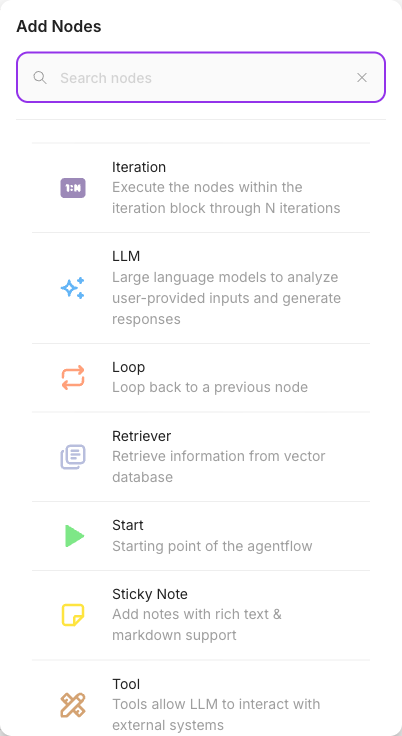
Open the node palette, find Retriever under Agent Flows, and drop it onto the canvas. Connect it after the node that produces your search question (often the Start node or an Agent), and connect its output into the node that will use the retrieved text (usually an LLM or Agent).
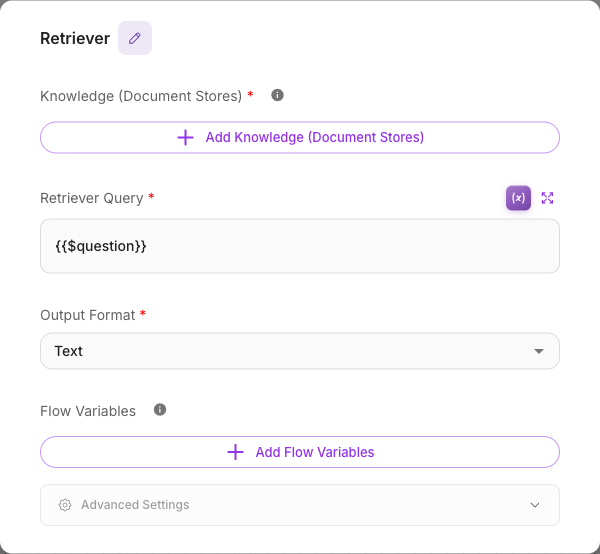
Inputs
| Parameter | Description | Required |
|---|---|---|
| Knowledge (Document Stores) | One or more document stores to search. Each store must be built (upserted) in advance before it appears here. | Yes |
| Retriever Query | The text to search for. Usually a variable such as {{$question}}. If left blank, the incoming message is used. | No |
| Output Format | Text returns just the matching content; Text with Metadata returns the content plus source details as JSON. | No (defaults to Text) |
| Flow Variables | Optionally save the result into flow state keys so later nodes can reuse it. Turn on Block Empty Updates to keep empty results from overwriting existing values. | No |
| Show Output in Chat | When on, the retrieved text appears in the chat transcript. When off, it stays hidden but is still passed to connected nodes. | No (defaults to off) |
Document stores are managed in a separate area of Flowera. See the Knowledge & Assets section for how to create and fill one.
Outputs
Retriever has a single output. It passes the retrieved text (and, in Text with Metadata mode, the source details) to the next node. Feed it into an LLM or Agent node so the model can answer using that context.
Example
A support bot that answers from your help center:
- Start (Chat Input) receives the customer's question.
- Retriever searches your "Help Center" document store with query
{{$question}}and returns Text. - An LLM node is prompted: "Answer the customer using only this context:
{{ Retriever }}" — the Retriever node's label, which is how you reference what it found.
Tips
Point the Retriever Query at what the user actually asked ({{$question}}) rather than a fixed
string, so each search is relevant to the current message.
A document store only shows up in the picker after it has been built and its status is ready. If your store is missing from the list, finish upserting it first.
Choose Text with Metadata when you want the model to cite sources or when a later node needs to know which document an answer came from.