Tool Catalog
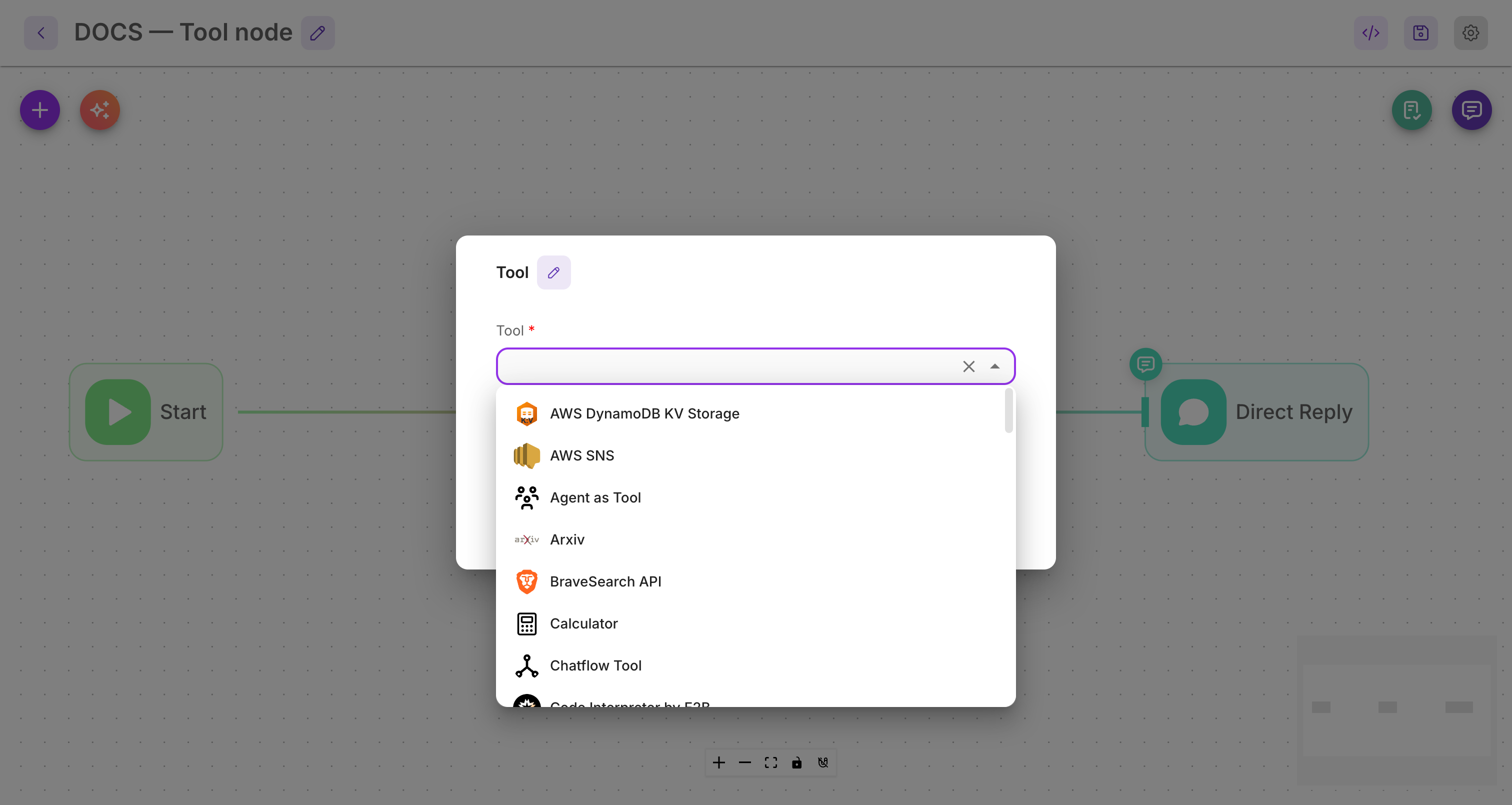
The Tool node lets your agent take real-world actions — send a message, call an API, look something up, write to a spreadsheet, and more. Instead of one node per integration, a single Tool node exposes a catalog of 46 tools you can pick from.
This page is the full catalog, grouped by category. Nine of the most-used tools have a full guide (linked below); the rest are listed for reference and will get their own pages over time.
How to read this page
Pick the category that matches what you want to do, then choose a tool. If a tool has a link, open it for setup steps, inputs, and examples. If it says Reference page coming soon, you can still add it from the Tool node — the in-app description explains each field.
Search & Web
| Tool | What it does | Status |
|---|---|---|
| Brave Search | Web search via the Brave Search API. | Reference page coming soon |
| Exa Search | Neural/semantic web search via Exa. | Reference page coming soon |
| Google Search | Web search via the Google Custom Search API. | Reference page coming soon |
| SearchApi | Multi-engine search results via SearchApi. | Reference page coming soon |
| Searxng | Search through a self-hosted SearXNG instance. | Reference page coming soon |
| SerpAPI | Google search results via SerpAPI. | Reference page coming soon |
| Serper | Fast Google search results via Serper. | Reference page coming soon |
| Tavily | Web search built for AI agents. | Reference page coming soon |
| Web Scraper | Extract content from a specific web page. | Reference page coming soon |
| Arxiv | Search and fetch academic papers from arXiv. | Reference page coming soon |
| Wolfram Alpha | Computational answers and factual queries. | Reference page coming soon |
Google Workspace
| Tool | What it does | Status |
|---|---|---|
| Gmail | Read and send email from a connected Gmail account. | Reference page coming soon |
| Google Calendar | Create and read calendar events. | Reference page coming soon |
| Google Docs | Read and write Google Docs. | Reference page coming soon |
| Google Drive | Browse and manage Drive files. | Reference page coming soon |
| Google Sheets | Read and write spreadsheet values and manage sheets. | Full guide |
Microsoft
| Tool | What it does | Status |
|---|---|---|
| Microsoft Outlook | Read and send email from Outlook / Microsoft 365. | Reference page coming soon |
| Microsoft Teams | Post messages to Microsoft Teams. | Reference page coming soon |
CRM & Business
| Tool | What it does | Status |
|---|---|---|
| Zoho CRM | Read and write Zoho CRM records (Leads, Contacts, Deals, and more). | Full guide |
| Stripe | Look up customers, payments, and invoices in Stripe. | Reference page coming soon |
| Jira | Create and update Jira issues. | Reference page coming soon |
| Composio | Connect hundreds of apps through Composio. | Reference page coming soon |
Messaging & Social
| Tool | What it does | Status |
|---|---|---|
| Send DMs, reply to comments, and manage Instagram interactions. | Full guide | |
| Send text, media, and template messages via WhatsApp Business. | Full guide | |
| AWS SNS | Send SMS and notifications through Amazon SNS. | Reference page coming soon |
Files & Documents
| Tool | What it does | Status |
|---|---|---|
| Read File | Read the contents of a file. | Reference page coming soon |
| Write File | Write content to a file. | Reference page coming soon |
| PDF Generator | Render a PDF from an HTML template plus data. | Full guide |
| JSON Path Extractor | Pull a specific value out of a JSON payload. | Full guide |
HTTP
| Tool | What it does | Status |
|---|---|---|
| Requests Get / Post / Put / Delete | Call any external HTTP API. | Full guide |
| OpenAPI Toolkit | Turn an OpenAPI spec into a set of callable tools. | Reference page coming soon |
Code
| Tool | What it does | Status |
|---|---|---|
| Code Interpreter (E2B) | Run sandboxed code to compute or transform data. | Reference page coming soon |
| Custom Tool | Define your own tool with a schema and function. | Full guide |
Flow as a tool
| Tool | What it does | Status |
|---|---|---|
| Agent as Tool | Expose another agent as a callable tool. | Reference page coming soon |
| Chatflow Tool | Call another chatflow as a tool. | Reference page coming soon |
Other
| Tool | What it does | Status |
|---|---|---|
| Calculator | Do exact arithmetic. | Reference page coming soon |
| Current Date/Time | Get the current date and time. | Reference page coming soon |
| AWS DynamoDB (KV Storage) | Read and write key-value data in DynamoDB. | Reference page coming soon |
| MCP | Connect an MCP server and use its tools. | Full guide |
Related
- Tool node — how the Tool node works and how tool arguments are filled
- Agent node — give an agent a whole toolbox to choose from
- Variables — feed live values into tool inputs
- Flow state — store what a tool returns for later steps