Getting Started
Welcome to the official Flowera documentation.
Flowera is a platform for building AI agents and automations that talk to your customers — on Instagram, WhatsApp, web chat, and more. You design them visually on a canvas, test them right there, and put them live in minutes.
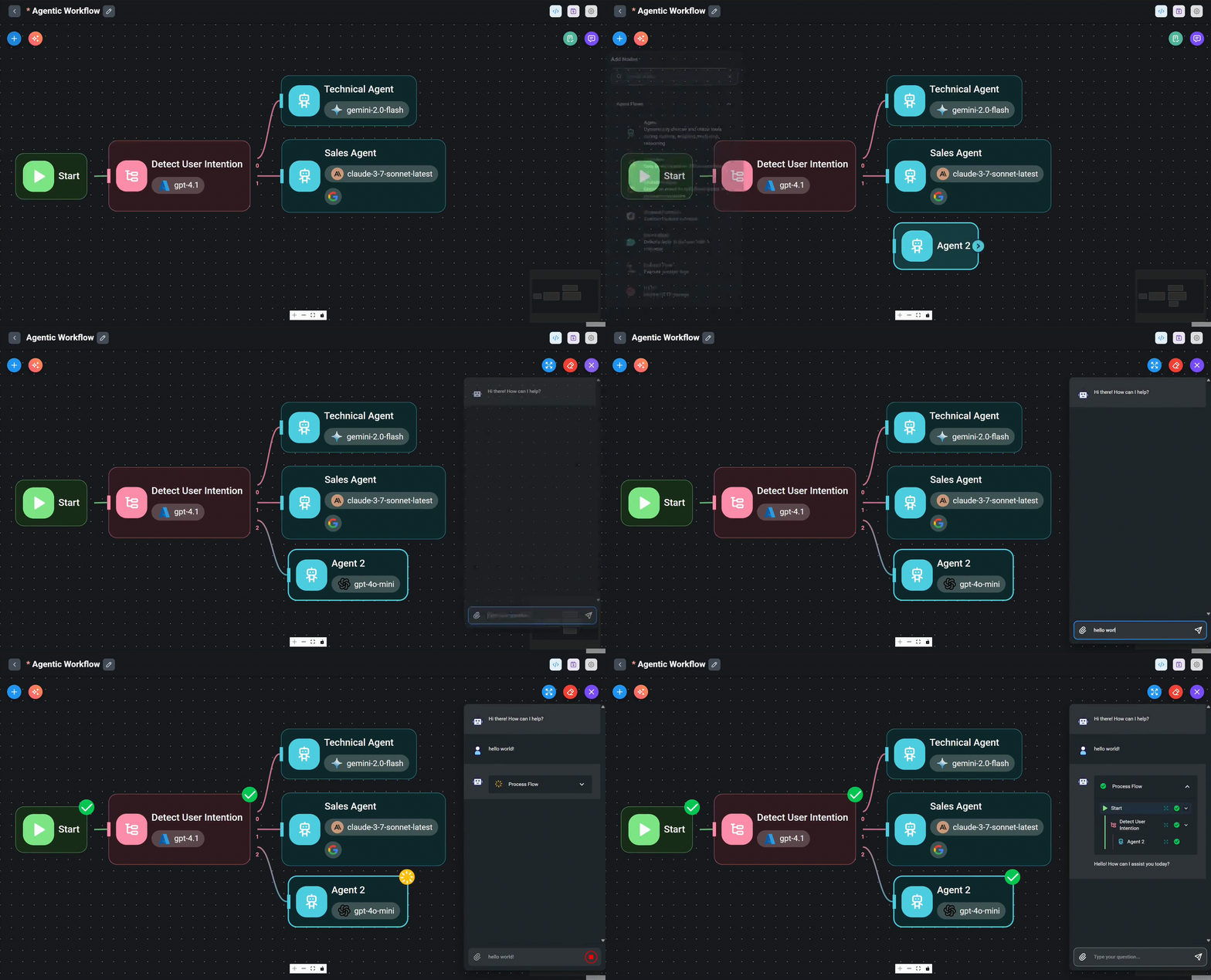
What Flowera gives you
- Visual builder — drag nodes onto a canvas, connect them, and describe what each step does. No code required.
- AI agents & multi-agent flows — agents that reason, use tools, remember the conversation, and hand off to one another.
- Your choice of AI models — pick from multiple providers per node (OpenAI, Anthropic, Google, and more).
- Omnichannel — the same flow can answer web chat, Instagram DMs, WhatsApp messages, form submissions, and webhooks.
- Tools & integrations — call APIs, CRMs (Zoho), Google Sheets, and your own custom functions; ground answers in your knowledge base (RAG).
- Triggers & scheduling — start a flow from a chat, a form, a webhook, on a timer, or across many records at once (batch).
- Observability — watch messages, leads, and executions live, with a visual trace of every step a flow took.
- Human in the loop — jump into a conversation with manual (operator) mode, or require human approval before a sensitive action runs.
- Build it programmatically — an embedded MCP server and API let you (or an AI assistant) create and manage flows without the UI — for example from Claude.
AgentFlow
AgentFlow is Flowera's visual builder — the heart of the platform. You build a flow out of nodes connected by lines: a Start node defines what triggers the flow, "thinking" nodes (LLM / Agent) decide what to say or do, Condition nodes route the conversation, and a Direct Reply node sends the answer back.
If you can sketch a flowchart, you can build an AgentFlow. It scales from a three-node bot (Start → Agent → Direct Reply) all the way up to multi-agent systems that detect intent and hand off to specialist agents.
Learn more in the AgentFlow guide »
Where to go next
- What is AgentFlow? — the ideas behind the builder.
- The canvas — how to add, move, and connect nodes.
- Your first AgentFlow — build a working bot in about ten minutes.