Filter
The Filter node checks your data against a set of conditions and sends the flow down one of two paths depending on whether the conditions pass. Use it to gate a flow — only continue when a value matches, a number is in range, a date has passed, and so on.
Adding it to a flow
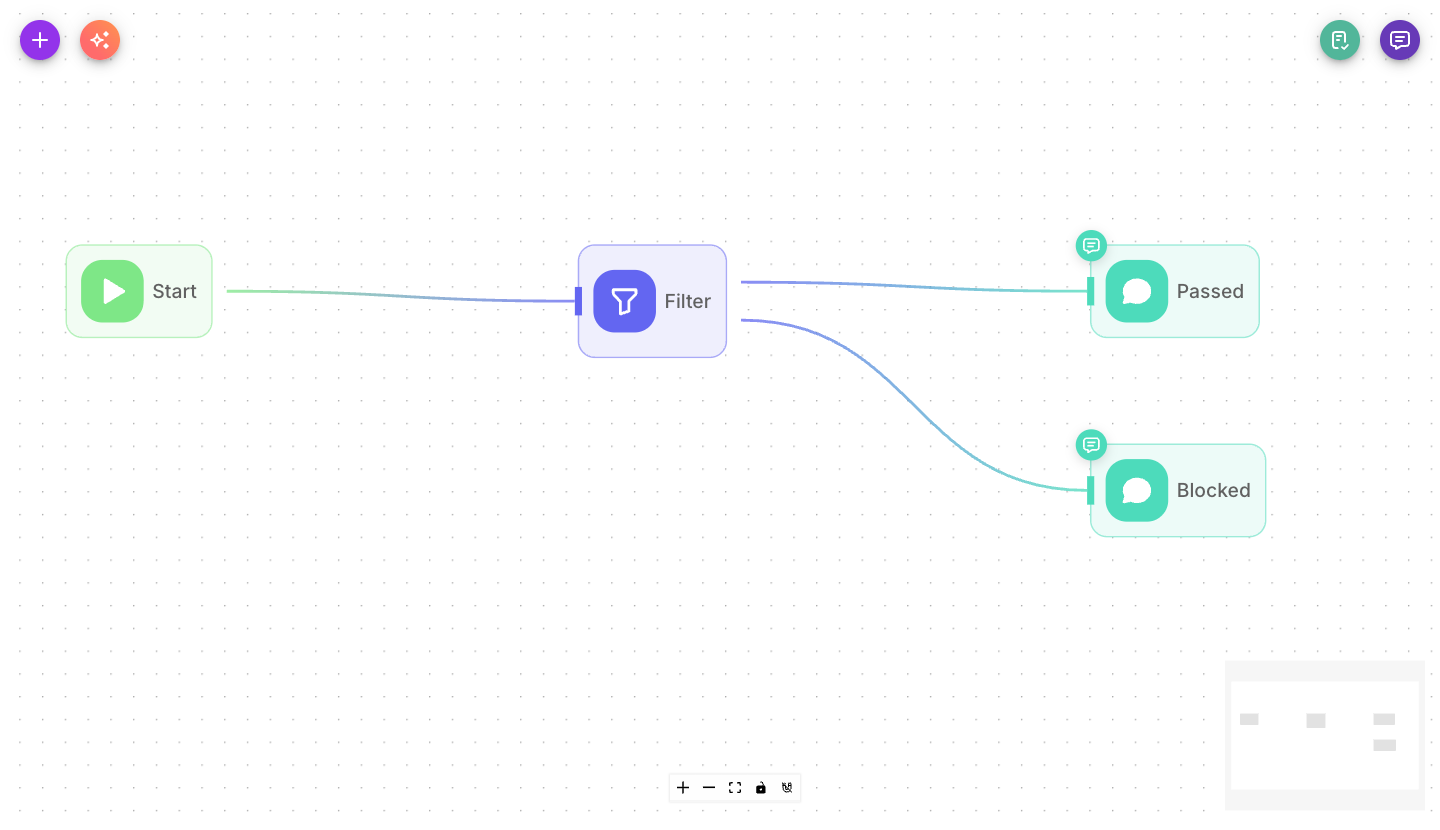
Add Filter from the palette and place it where the flow needs to branch on a rule. Because it has two outputs, connect a different path to each: one for when the conditions are met, one for when they aren't.
Inputs
| Parameter | Description | Required |
|---|---|---|
| Conditions | One or more condition groups. Each condition compares a Value against a Compare Value using an Operation. Conditions within a group and groups with each other combine using AND / OR. | Yes |
| Show Output in Chat | When on, the node's result appears in the chat transcript. When off, it stays hidden but is still available to connected nodes. | No (defaults to off) |
Each condition is built from a few fields:
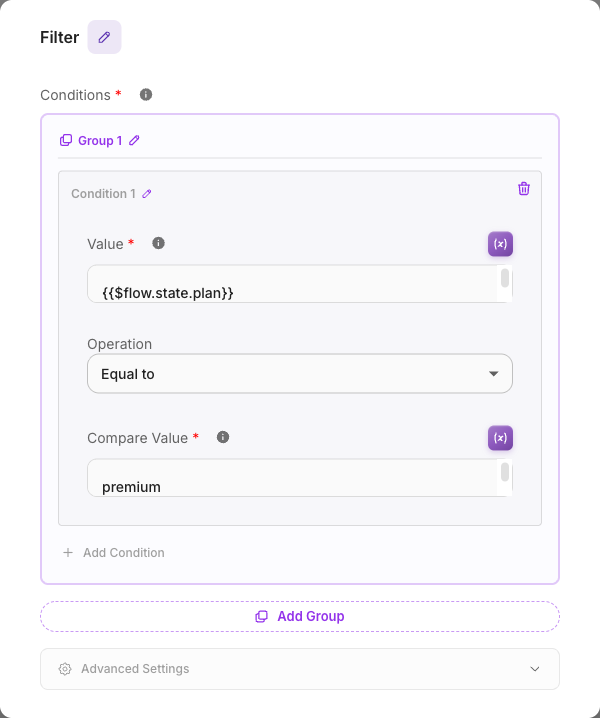
- Value — what you're checking (usually a variable, e.g.
{{$flow.state.plan}}). - Operation — how to compare. Operations are grouped by kind: text (equals, contains, starts with…), numeric (greater than, between…), date (before, after, is today…), boolean, array, object, and basic checks (exists, is empty…).
- Compare Value — what you're comparing against. Some operations (like "is empty" or "is today") need no compare value, and "between" uses a Min and Max instead.
Outputs & branching
Filter is a multi-output node with two branches. Exactly one is followed each run:
- True — followed when all the conditions pass. Connect the path that should continue when the data qualifies.
- False — followed when the conditions do not pass. Connect the path for everything that doesn't qualify.
Connect both branches so every message has somewhere to go.
Example
Only continue for premium customers:
- Earlier nodes save the customer's plan into flow state.
- Filter checks: Value
{{$flow.state.plan}}— Operation text "equals" — Compare Valuepremium. - True → an Agent offers a premium-only feature.
- False → a Direct Reply suggests upgrading.
Tips
Combine several checks in one group with AND ("all must be true") or OR ("any can be true"). For more complex logic, add more groups and choose how the groups combine.
Numeric and date operations expect valid numbers or dates. If the value being checked isn't a real number where a number is expected, the condition fails rather than continuing silently — double-check the variable you're feeding in.
Use the basic operators — exists, is empty, is not empty — to check whether a value was ever set before you rely on it later in the flow.