Condition Agent Node
The Condition Agent uses an AI model to route your flow based on the meaning of a message. Instead of exact comparisons, you describe scenarios in plain language — "user wants to book an appointment", "user is complaining", "user is just saying hello" — and the agent picks the one that best matches. Use it for natural, intent-based branching that fixed rules can't capture. For concrete comparisons, use the Condition node.
Adding it to a flow
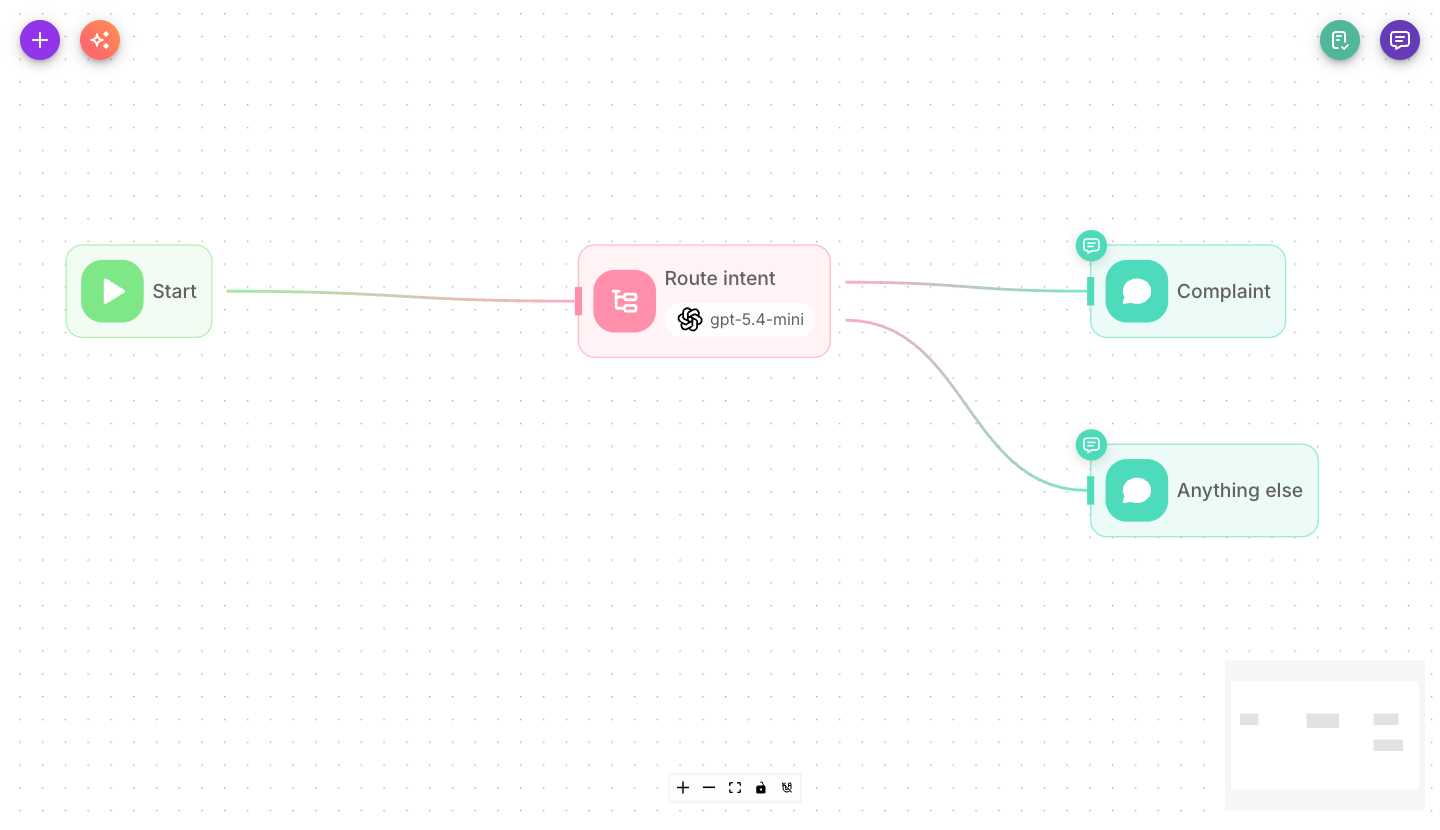
Drag a Condition Agent node onto the canvas and connect the previous node to it. Choose a model, write the instructions and the input, then list your scenarios. The node grows one output handle per scenario.
Inputs
| Parameter | Description | Required |
|---|---|---|
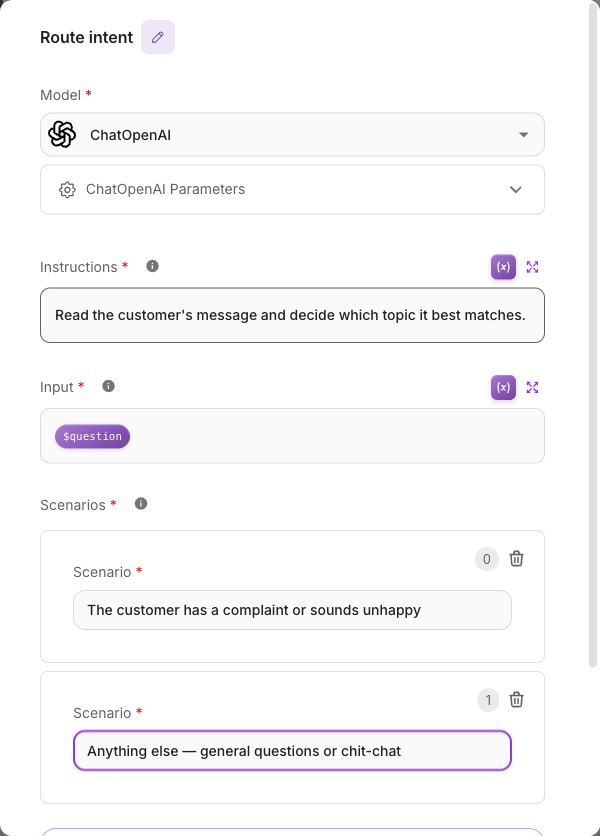
| Model | The AI model that decides which scenario matches. Pick a provider and model, attaching a credential if required. | Yes |
| Instructions | A general description of what the agent should decide (e.g. "Determine what the user wants to do"). | Yes |
| Input | The text the agent evaluates. Defaults to {{$question}} (the user's message) — keep the $ prefix. | Yes |
| Scenarios | The list of scenarios to match against. Each scenario becomes one output branch. Start with at least two. | Yes |
| Override System Prompt | Advanced: replace the built-in system prompt. Leave off unless you know why you need it. | No |
| Node System Prompt | The custom system prompt used when Override System Prompt is on. Expert use only. | No |
| Show Output in Chat | Whether this node's output appears in the chat history. Off by default. | No |
Outputs & branching
The Condition Agent is a multi-output node with dynamic branches — it creates exactly one output per scenario you define. Add a third scenario and a third handle appears; remove one and the handle disappears. Removing a scenario removes only that scenario's connections; every other scenario keeps its own connection, even though the handles below it are renumbered.
How edges pick a branch: you connect each scenario's handle to a different next node. At runtime the agent reads the Input, compares it against your Scenarios, and the flow follows the single branch for the scenario it chooses.
The Condition Agent has exactly one output per scenario and nothing else. If a message matches none of your scenarios, it is silently dropped — the flow simply stops with no reply.
Always add an explicit catch-all scenario as your last one, such as "Anything else / none of the above", and connect its branch to a sensible fallback (a friendly Agent reply, a hand-off, etc.). This guarantees every message goes somewhere.
{{$question}} with the dollar signThe Input must reference the built-in variable {{$question}} — with the $. The dollarless form {{question}} never resolves, which means the agent sees an empty input and routing quietly breaks. The default value is already correct; keep it unless you intend to feed the agent a different value.
Example
Route an incoming support message:
- Instructions: "Decide what the customer wants."
- Input:
{{$question}}(default) - Scenarios:
- "The customer wants to place or change an order"
- "The customer has a complaint or problem"
- "Anything else, including greetings and small talk" ← the catch-all
Branch 1 goes to an order Agent, branch 2 to a complaints Agent, and branch 3 to a general greeting reply — so nothing is ever dropped.
Tips
- Always include a catch-all scenario — this is the single most common mistake with this node.
- Write scenarios as clear, distinct descriptions. Overlapping scenarios make the agent's choice less reliable.
- Keep the Input as
{{$question}}unless you have a specific reason to route on a different value. - For exact, rule-based decisions (numbers, keywords, empty checks), the Condition node is cheaper and fully predictable.
Related
- Condition node — rule-based branching (one branch per rule + Else)
- Agent node
- Variables
- Conditional routing tutorial