Route Conversations with a Condition Agent
Real bots rarely do just one thing. A support bot needs to tell a billing question from a technical question and handle each differently. In this tutorial you'll use a Condition Agent to read the visitor's message and send the conversation down the right branch — including the one branch beginners always forget: an explicit catch-all for messages that match nothing.
What you'll build: a triage bot that routes messages into Billing, Technical, or Everything else.
Nodes you'll use:
- Start — Chat Input
- Condition Agent — reads the message and picks a branch
- Three Agent nodes — one per branch
- Direct Reply nodes to answer
Concepts to know:
- How a flow runs — how branching works
- Variables —
{{$question}}and the$prefix
The one rule you must not skip
A Condition Agent creates exactly one output branch per scenario you define — and there is NO automatic Else. If a message matches none of your scenarios, and you didn't add a catch-all scenario, that message is silently dropped. The visitor gets nothing back.
Every Condition Agent needs a final "other / anything else" scenario. This is the single most common mistake in AgentFlow. If in doubt, add the catch-all first, then add your specific scenarios above it.
Step 1 — Start the flow
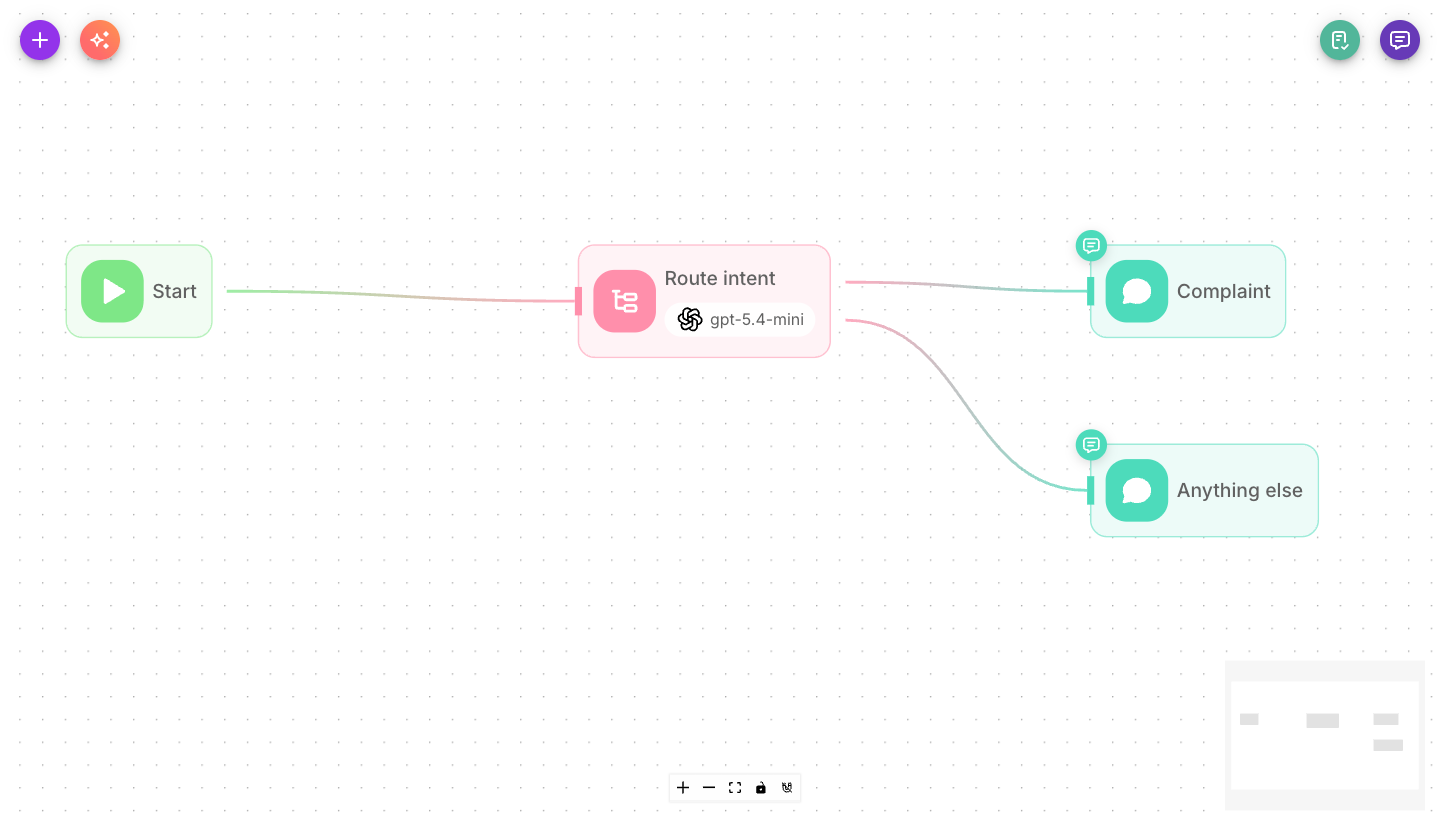
Create a new AgentFlow. Open the Start node and set Input Type to Chat Input. Connect the Start node to a new Condition Agent node.
Step 2 — Configure the Condition Agent
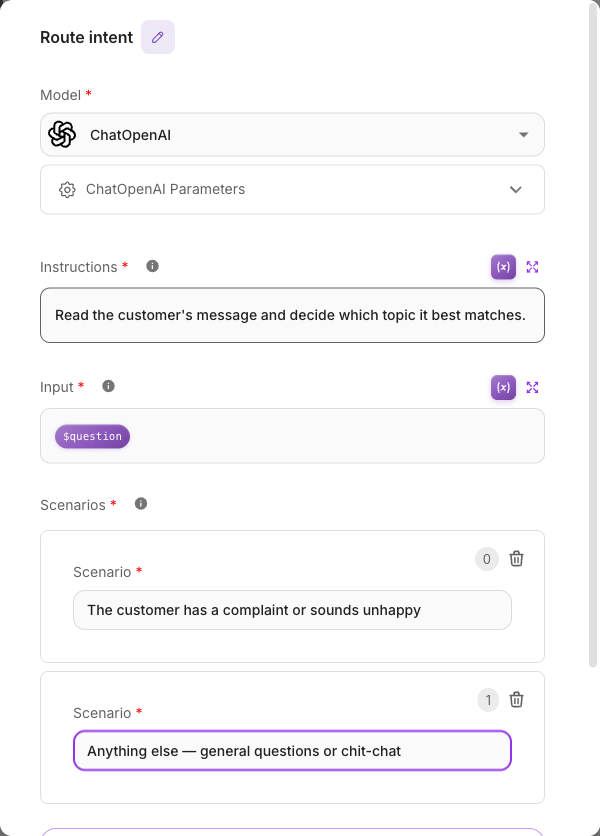
Open the Condition Agent and set three things:
-
Model — pick an AI model (see Models).
-
Input — what the agent should evaluate. Set it to the visitor's message:
{{$question}}The$is requiredIt must be
{{$question}}. The dollar-less form{{question}}never resolves, and the agent will have nothing to classify. -
Instructions — a short description of the routing job, for example:
Classify the user's message into one of the scenarios below based on their intent.
Step 3 — Define the scenarios (branches)
Under Scenarios, add one entry per route. Each scenario becomes its own output branch on the node. Add them in this order:
| # | Scenario | Meaning |
|---|---|---|
| 1 | The user has a billing, payment, invoice, or refund question | → Billing branch |
| 2 | The user has a technical problem, bug, or how-to question | → Technical branch |
| 3 | Anything else, or the intent is unclear | → Catch-all branch |
Scenario 3 is your explicit default — it guarantees no message is ever dropped.
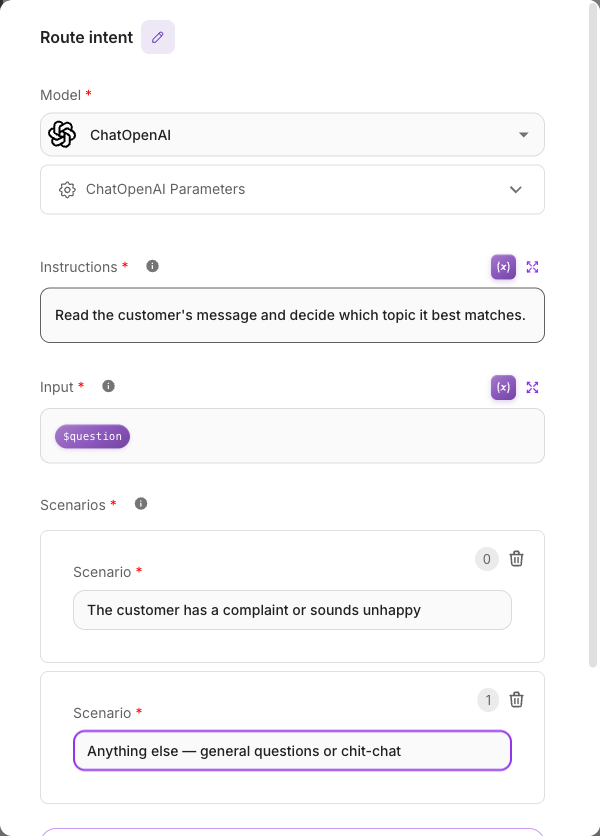
Notice the node now has three output handles — one for each scenario, in order. There's no fourth "else" handle. The catch-all you wrote is the else.
Step 4 — Build a branch for each route
For each output handle, add an Agent → Direct Reply pair, and connect the matching Condition Agent output to it.
- Billing branch: an Agent with a System message like "You handle billing questions for Acme. Be precise about invoices, refunds, and payment methods."
- Technical branch: an Agent whose System message focuses on troubleshooting.
- Catch-all branch: an Agent that gives a friendly general reply and offers to connect the visitor to a human.
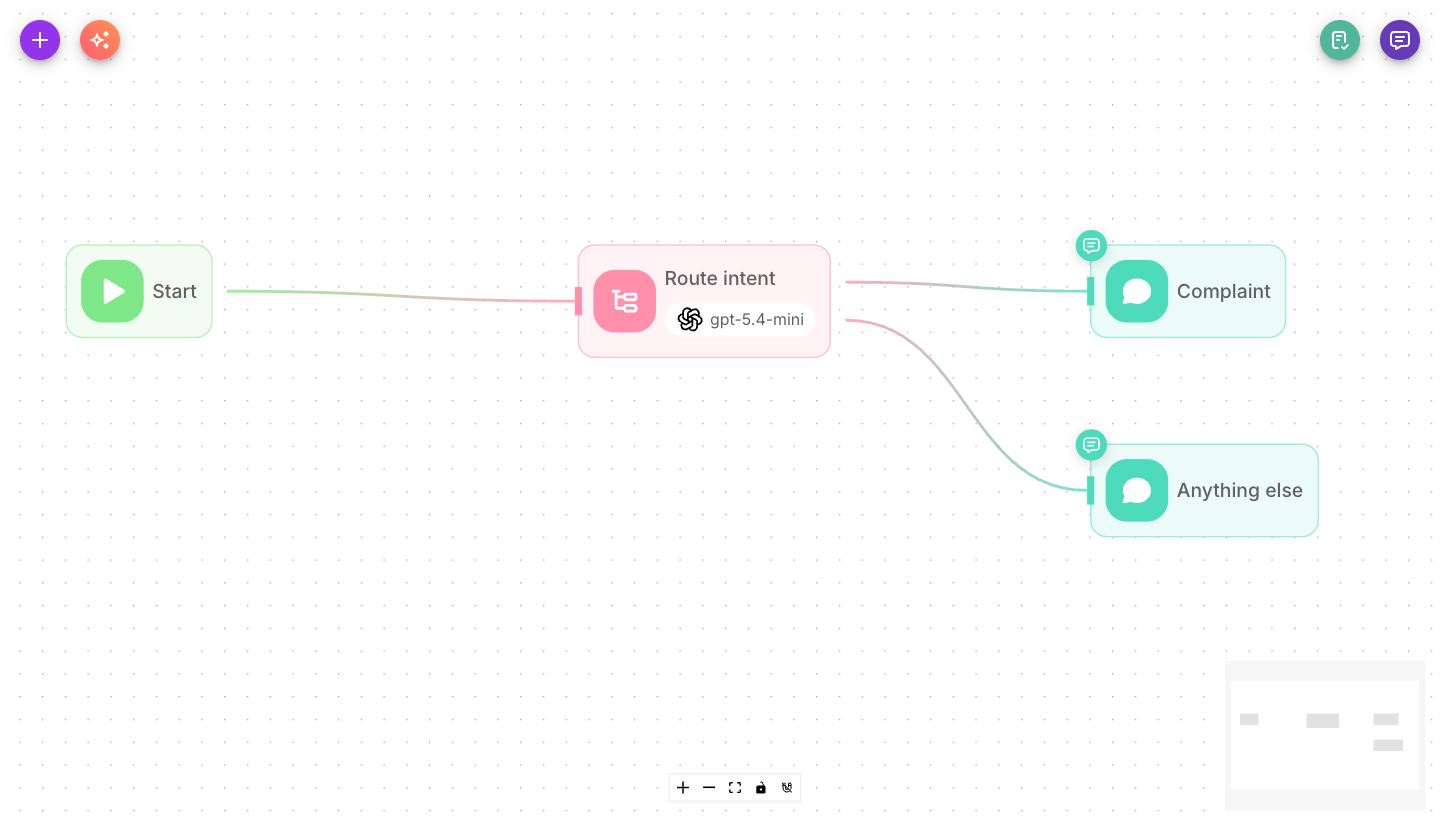
Name each Direct Reply after the route it serves — the finished flow below shows Complaint and Anything else — so the canvas stays readable once the branches fan out.
Each Direct Reply carries its own Agent's answer by referencing that Agent's label, not a generic output. Type {{ in the Message field and pick the Agent sitting on the same branch; the labels are per-node, so a branch pointing at the wrong Agent sends the wrong answer.
Turn Show Output in Chat off on every Agent, otherwise each answer is sent twice — once by the Agent, once by its Direct Reply. See Show Output in Chat.
A branch whose answer never changes doesn't need an Agent at all — connect the Condition Agent output straight to a Direct Reply holding the fixed text.
Your finished graph fans out from the Condition Agent into three parallel paths.
Step 5 — Test each path
Open the chat tester and send one message per route:
- "My invoice looks wrong." → Billing branch.
- "The app crashes on login." → Technical branch.
- "Do you ship to Canada?" → Catch-all branch.
Confirm each reply comes from the right Agent. Then send something deliberately weird ("banana") — with the catch-all in place, it still gets a graceful answer instead of silence.
What you learned
- A Condition Agent reads a message and routes it, creating one branch per scenario.
- There is no implicit Else — you must add an explicit catch-all scenario or unmatched messages are dropped.
- The classification input must use
{{$question}}with the$prefix. - Each branch is its own mini-flow (Agent → Direct Reply) tailored to that intent.
Next steps
- Have a branch call an outside system: Calling an external API.
- For exact rule-based checks (not AI classification), see the Condition node.
- Learn the execution model behind branching: How a flow runs.