Call an External API
Bots become genuinely useful when they can reach the outside world — look up an order, check inventory, create a ticket. Flowera gives you two ways to make an outbound request, and this tutorial covers both:
- The HTTP node — you decide exactly when a request fires, as a fixed step in the flow.
- The HTTP Requests tool on an Agent — the AI decides whether and how to call, on its own.
What you'll build: an order-status bot. First the deterministic way with an HTTP node, then the flexible way with an Agent that has an HTTP tool.
Nodes you'll use:
- Start, Agent, Direct Reply
- HTTP node
- HTTP Requests tool (via the Tool node / Agent)
Concepts to know:
- Variables — building request query params and bodies with
{{ }} - Flow state — passing captured values into the request
Part A — The deterministic way: an HTTP node
Use this when the request should happen every time, at a known point in the flow.
Step 1 — Capture the input
Create a flow with a Start (Chat Input) node. Add an Agent that asks the visitor for their order number and writes it into flow state under a key like orderId (see Lead collector bot for the state-writing pattern).
Step 2 — Add the HTTP node
Add an HTTP node and connect the Agent to it. Configure the request:
-
Method:
GET -
URL: the endpoint, as a plain string (the URL field does not resolve
{{ }}— see below):https://api.acme.com/orders -
Query Params: pass the captured value here, where variables are resolved — add a param
idwith value{{$flow.state.orderId}}, giving?id=<the captured order number>. -
Headers: add any your API needs, e.g. a
Content-Typeofapplication/json. -
HTTP Credential: attach a credential if the endpoint needs authentication, so you never hard-code a secret into the URL.
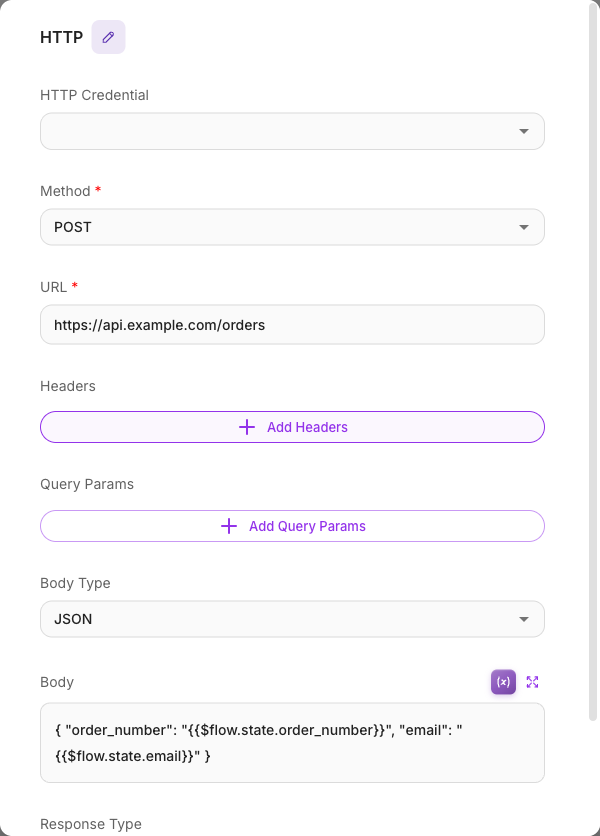
The URL field is sent literally, so {{$flow.state.orderId}} inside the path would not resolve. Reference flow values inside Query Params (id → {{$flow.state.orderId}}) or, for a POST, inside the JSON Body ({{$question}}, {{$flow.state.orderId}}). See Variables.
Step 3 — Use the response
The HTTP node's result is available as its output, referenced by the HTTP node's label. Connect a Direct Reply to the HTTP node and set its Message to that label:
{{ HTTP }}
Type {{ in the Message field and pick the HTTP node from the list to insert the label — the node here is called HTTP, so that's what goes between the braces.
That sends the raw response as-is. To phrase it in your own voice instead, put an Agent between the HTTP node and the Direct Reply and reference the same label in its System message:
Here's the status the visitor asked about:
{{ HTTP }}. Summarize it in one clear sentence.
If the response is deeply nested JSON, the JSON Path Extractor tool can pull out just the field you need.
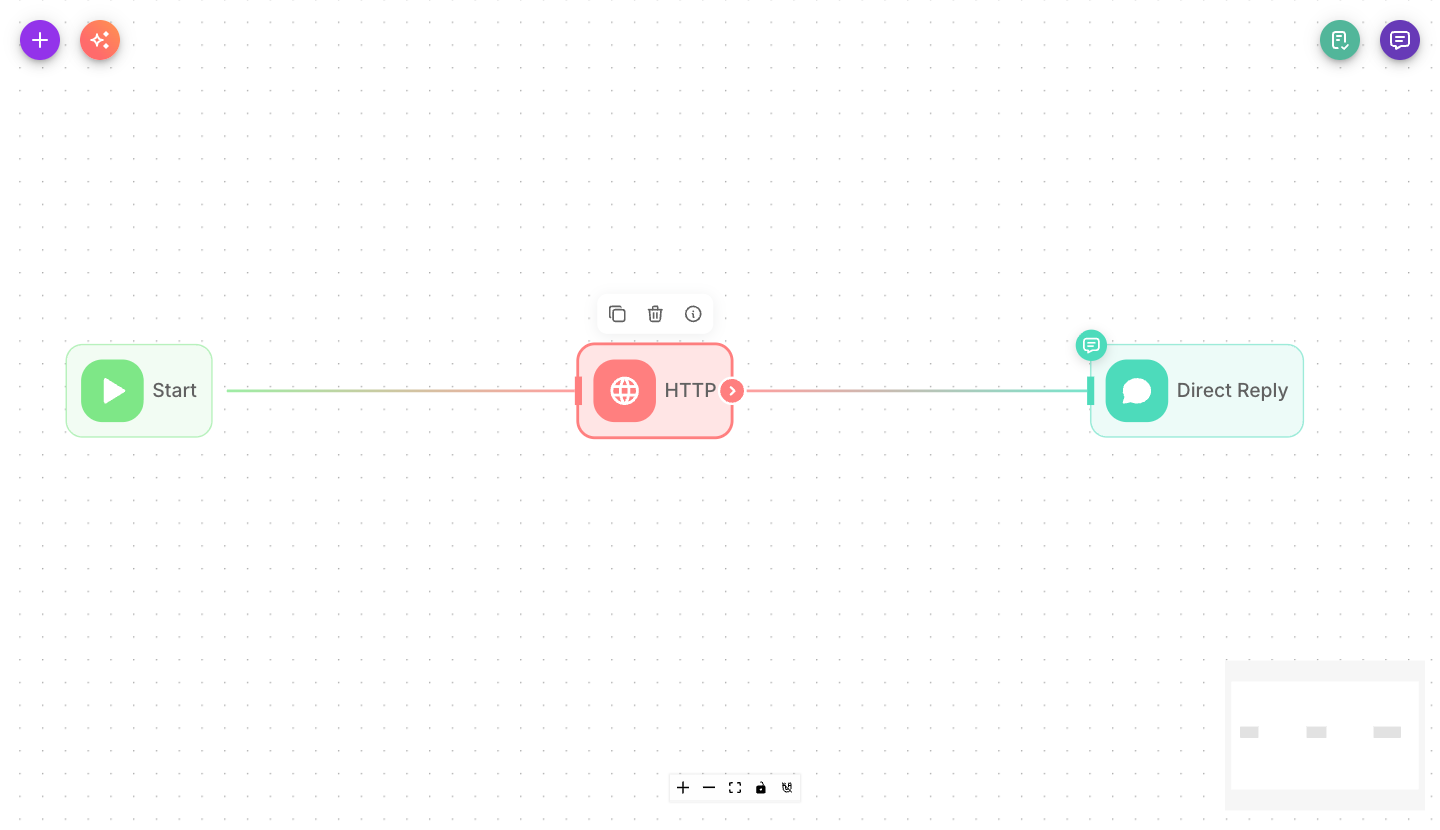
Part B — The flexible way: an Agent with an HTTP tool
Use this when you'd rather let the AI decide when a lookup is needed and figure out the parameters itself.
Step 1 — Give the Agent a tool
On an Agent node, open its Tools section and add the HTTP Requests tool. (Tools are the same catalog the standalone Tool node uses.) Point the tool at your API and describe, in its configuration, what it returns.
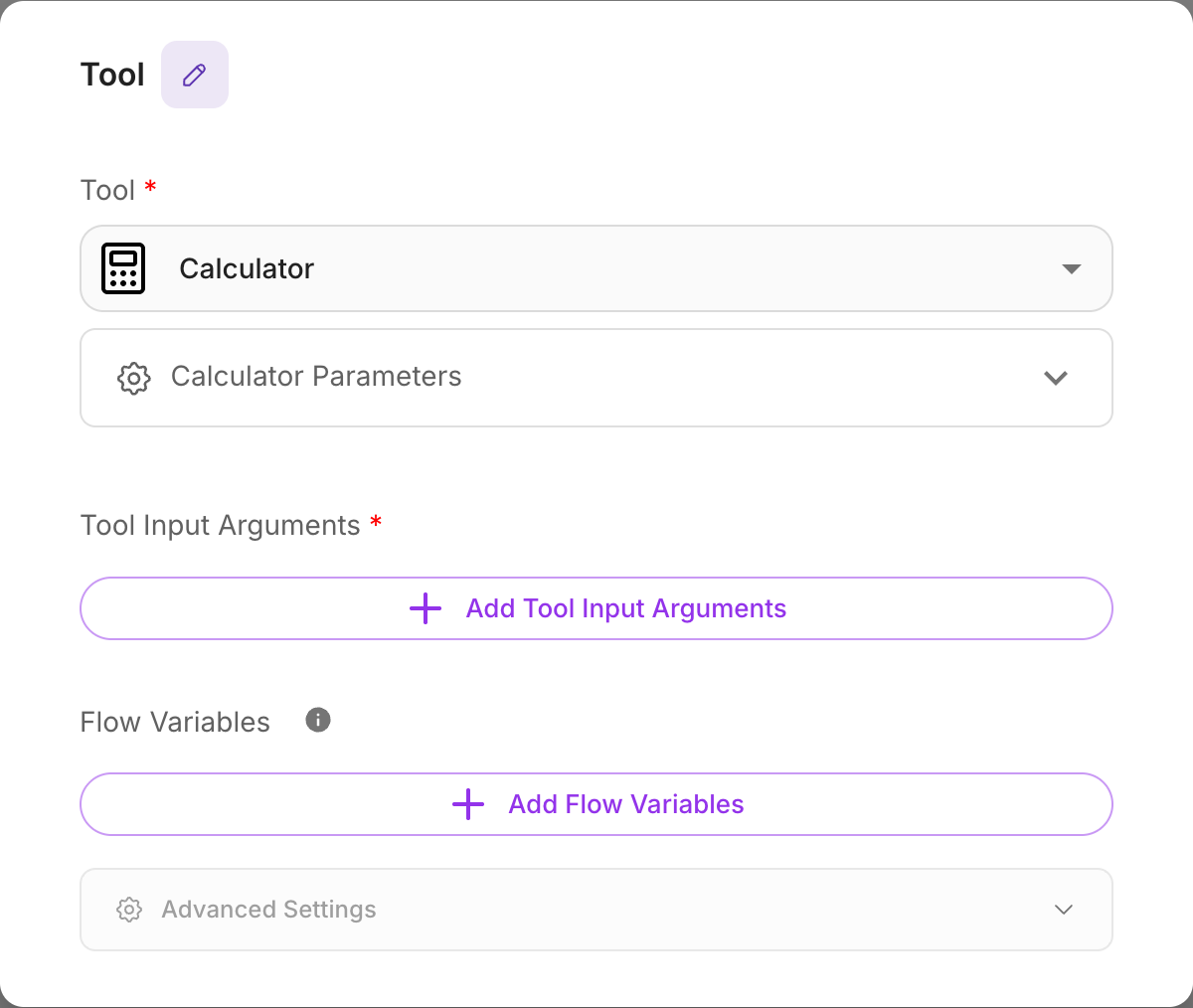
Step 2 — Tell the Agent when to use it
In the Agent's System message, explain the tool's purpose:
You help customers check order status. When a customer gives an order number, call the order-status tool to look it up, then explain the result plainly. If the lookup fails, apologize and offer to connect them to support.
Now the Agent calls the API only when it makes sense — and can ask follow-up questions first if the order number is missing.
Step 3 — Reply
Connect the Agent to a Direct Reply whose Message is the Agent's label, {{ Agent }}. Turn Show Output in Chat off on the Agent so the answer isn't sent twice (see Show Output in Chat). That's the whole flow: Start → Agent (with HTTP tool) → Direct Reply.
Which approach should I use?
| Use an HTTP node when… | Use an HTTP tool on an Agent when… |
|---|---|
| The call must happen every run | The call is optional / conditional |
| You control the exact timing and parameters | You want the AI to gather the parameters and decide |
| The flow is a fixed pipeline | The interaction is conversational |
Many real flows use both — an Agent to talk, an HTTP node for a guaranteed step.
What you learned
- The HTTP node makes a request as a fixed step, with the method, URL, headers, and body you set.
- Build requests with
{{ }}variables like{{$flow.state.orderId}}in Query Params and the Body — never hard-code values, and note the URL field itself is literal. - Attach a credential instead of embedding secrets.
- Giving an Agent the HTTP Requests tool lets the AI decide when and how to call.
Next steps
- Extract one field from a big JSON response: JSON Path Extractor.
- Explore the full tool catalog: Tools.
- Save what you fetched: Flow state.