Direct Reply
The Direct Reply node puts a message straight into the conversation. Unlike an LLM or Agent node, it doesn't generate anything — it sends exactly the text you give it. Use it for fixed responses, confirmations, and canned messages.
Direct Reply writes into the Flowera conversation: the chat widget's live stream and the View Messages transcript. On web chat that is the delivery. On a Meta channel it is not — the message only reaches the customer if a send tool (WhatsApp, Instagram) hands it to Meta, from a Tool node or an Agent. A flow that ends in Direct Reply on Instagram or WhatsApp looks answered in the transcript while the customer receives nothing.
Adding it to a flow
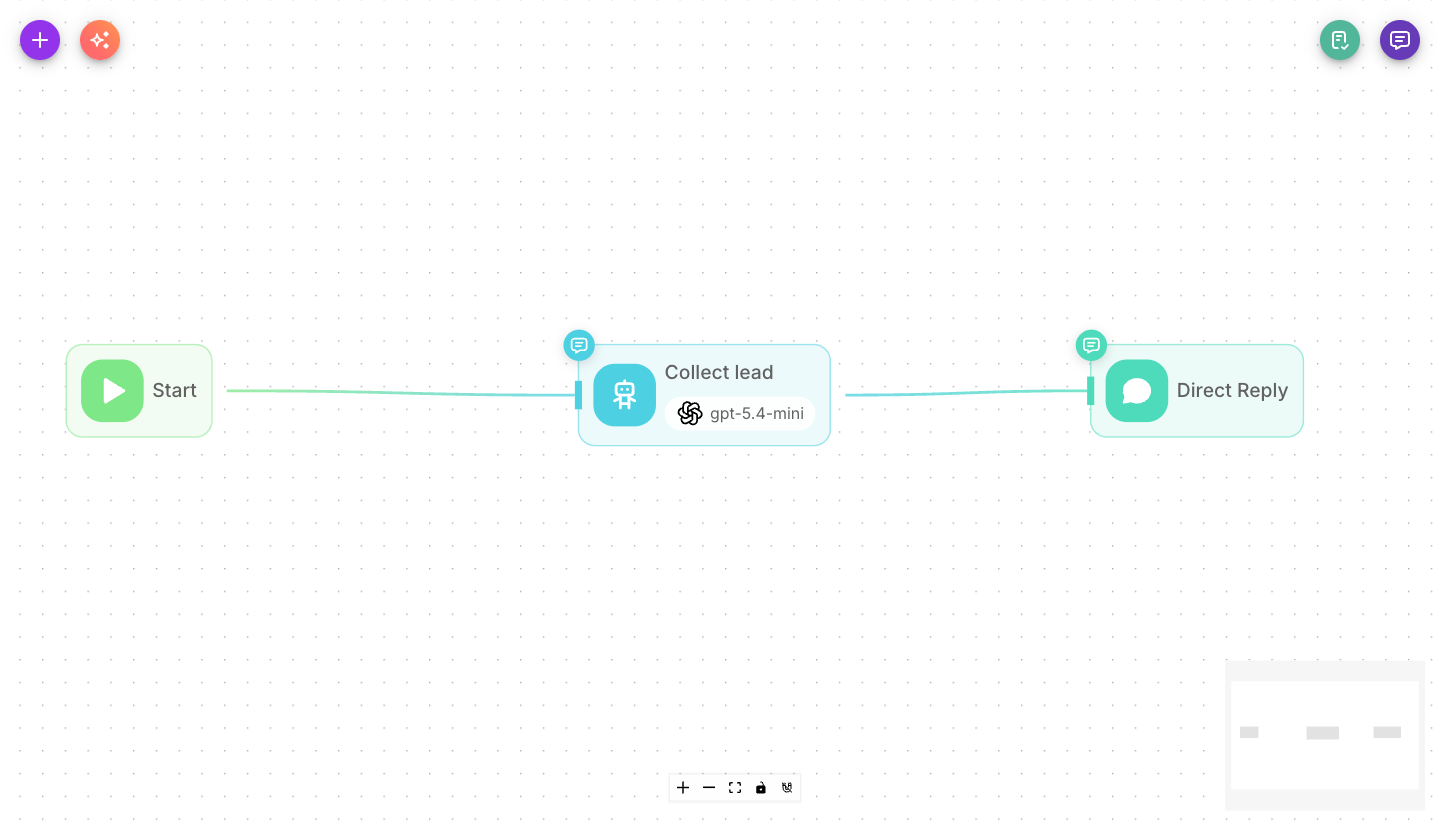
Add Direct Reply from the palette and place it at the end of any path where you want to send a set message to the user. It is always the last node on its branch — nothing runs after it.
Inputs
| Parameter | Description | Required |
|---|---|---|
| Message | The text sent to the user. You can mix in variables such as {{$flow.state.name}} to personalize it. Leave blank to use the node purely as a step that waits for parallel paths to finish. | No |
| Show Output in Chat | When on, the message appears in the chat transcript. When off, it stays hidden but is still available to connected nodes. | No (defaults to on) |
Sending another node's output
To relay what an Agent, LLM, HTTP or Retriever node produced, put that node's label in the Message field. Type {{ and pick the node from the list — Flowera inserts the label for you:
{{ Agent }}
output variable{{ output }} matches no node. A Direct Reply set to it sends the visitor the literal text {{ output }} instead of the answer. Always use the source node's label, and update it if you rename that node.
Agent, LLM and Tool nodes have Show Output in Chat on by default, so they already post their result. If a Direct Reply then repeats it, the visitor receives the message twice. Turn the upstream node's switch off — see Show Output in Chat.
Outputs
Direct Reply has no output — it always ends its branch. It sends its message to the user and the path stops there; nothing can run after it (the canvas gives it no output handle to draw from, and an edge drawn after it via import/MCP is dropped).
So any work that must happen alongside a reply — logging to a CRM, updating flow state, calling an HTTP node — has to run before the Direct Reply, not after it. If you need to both reply and continue, branch earlier: do the follow-up on one path and the reply on another, or put the reply at the very end once everything else is done.
Example
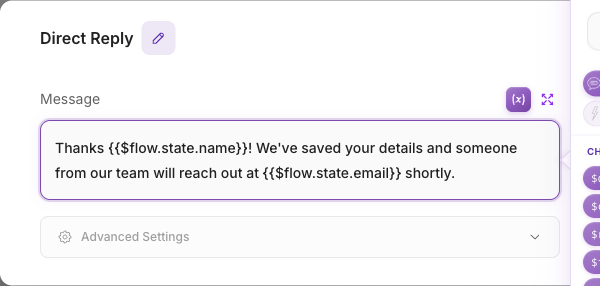
Greeting a customer by name after their details are collected:
- Earlier nodes save the customer's name into flow state.
- Direct Reply sends: "Thanks,
{{$flow.state.name}}! We'll be in touch shortly."
Tips
Use Direct Reply for messages that should never change wording — legal notices, confirmations, or handoff messages. For anything that should adapt to the conversation, use an LLM or Agent node instead.
Personalize a fixed reply by dropping variables into the message, such as {{$flow.state.email}} or
{{$question}}.