Iteration
The Iteration node loops over a list and runs the same set of steps once for every item in that list. Use it when you have several things to handle the same way — for example a list of products, a set of email addresses, or rows returned from an API.
Adding it to a flow
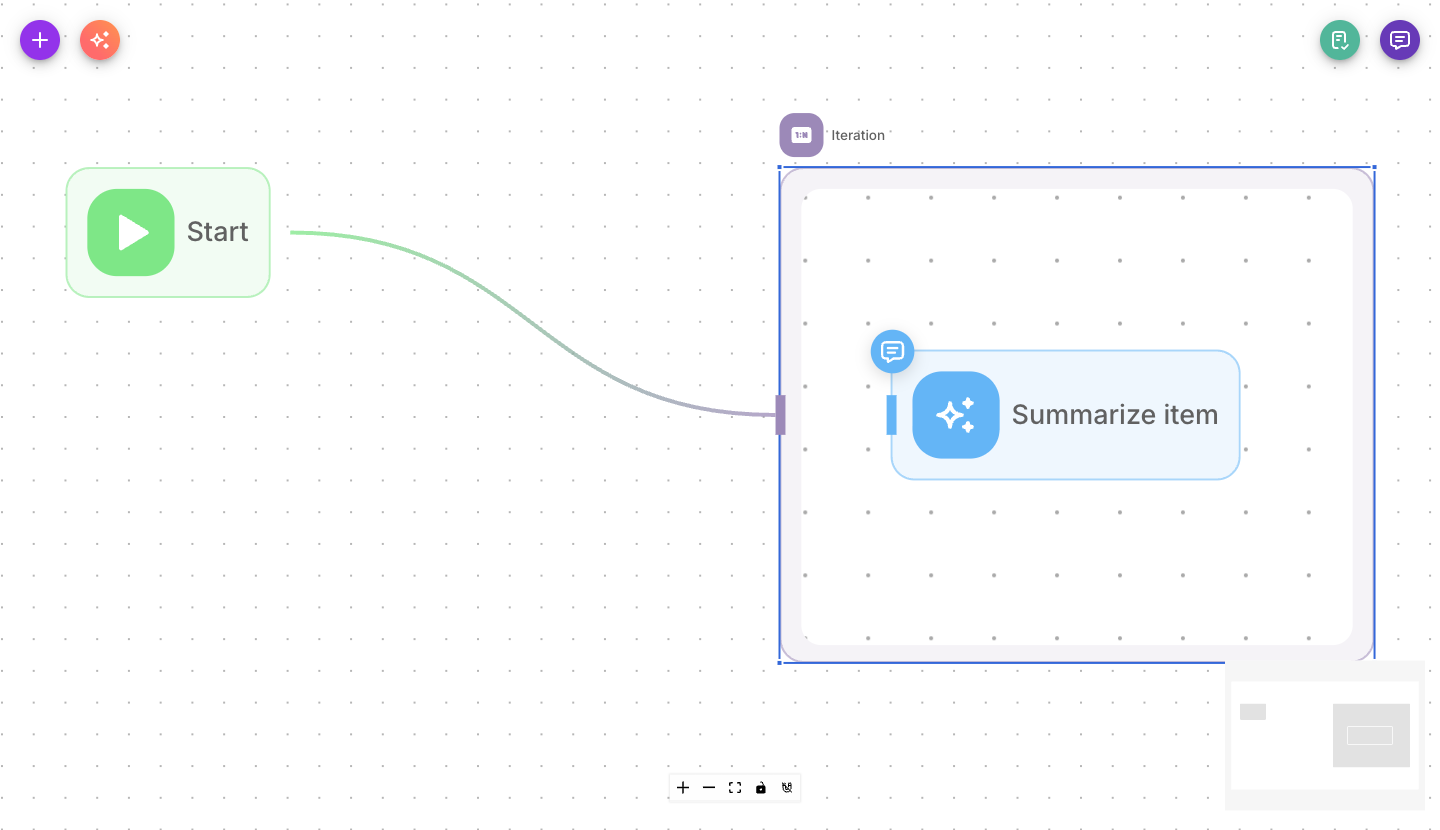
Add Iteration from the palette. Unlike most nodes, the Iteration node is a container: you drop other nodes inside it. Any node you place inside the iteration runs once per item in your list.
Inputs
| Parameter | Description | Required |
|---|---|---|
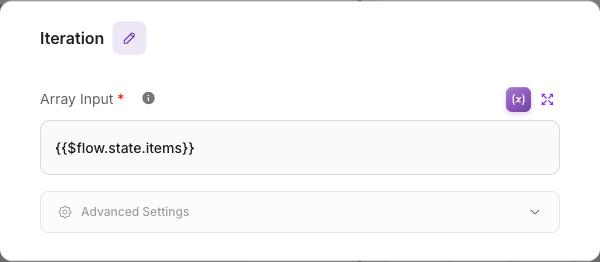
| Array Input | The list to loop over. Provide an array — usually a variable such as a previous node's output or a flow state value. Each entry becomes one pass through the inside nodes. | Yes |
| Show Output in Chat | When on, the node's output appears in the chat transcript. When off, it stays hidden but is still available to connected nodes. | No (defaults to off) |
The Array Input must resolve to an actual list. If it resolves to something that isn't a list, the node stops with an "Invalid input array" message.
Outputs
Iteration has a single output that continues after all items have been processed. The nodes you place inside the iteration run repeatedly (once per item); the nodes you connect after the iteration run once, when the loop is finished.
Example
Sending a short summary for each order in a list:
- A previous node produces a list of orders.
- Iteration takes that list as its Array Input.
- Inside the iteration, an LLM node writes a one-line summary — it runs once for each order.
- After the iteration, a Direct Reply node sends the combined result.
Tips
Nodes placed inside the iteration run once per item. Keep only the per-item work inside, and put anything that should happen just once (like a final reply) after the iteration.
If your list arrives as text (for example from an API or a variable), the node parses it into a list for you — just make sure the value really is a list of items.
One Iteration node can loop over at most 1,000 items. A longer list fails the node before any item
runs, with Iteration input has N items; the limit is 1000. Filter the list first, or split it and
process it in batches.