Execute Flow
The Execute Flow node calls another one of your flows and brings its answer back into the current flow. Use it to reuse a flow you've already built as a building block — a "sub-flow" — instead of copying the same steps into every flow.
Adding it to a flow
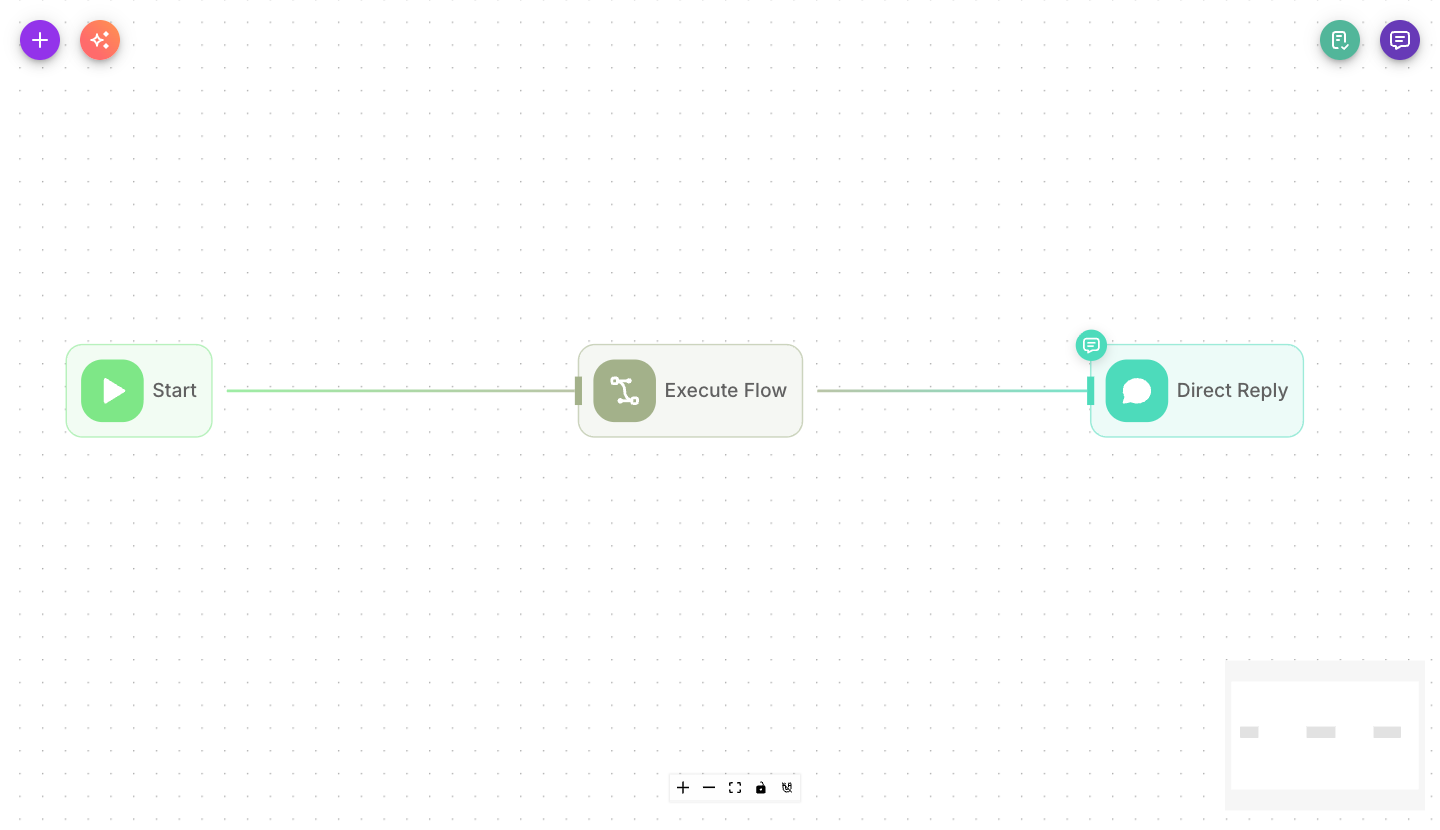
Add Execute Flow from the palette, then pick the flow you want to call and set the input to send it. When it runs, that flow executes and its response comes back as the node's output.
Inputs
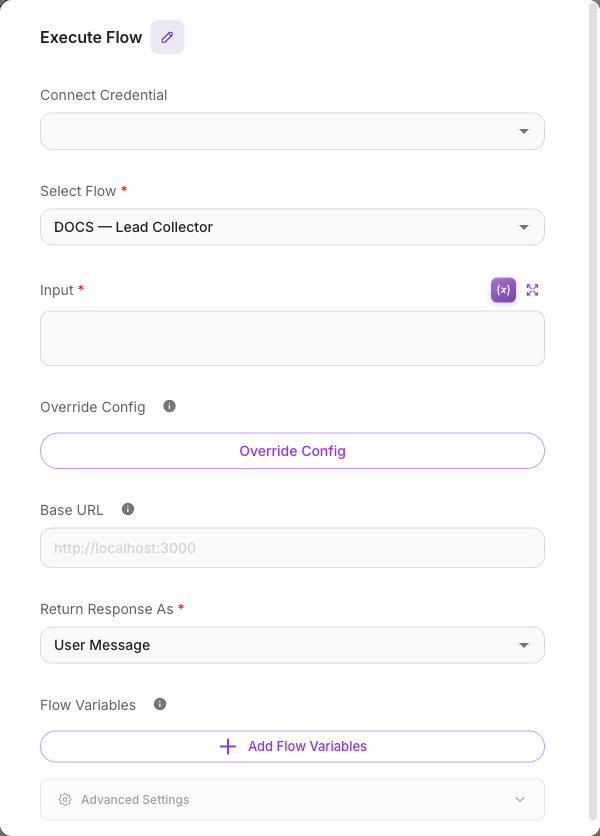
| Parameter | Description | Required |
|---|---|---|
| Connect Credential | An API key for calling the flow, when required. | No |
| Select Flow | The flow to run as a sub-flow. You can pick any of your Chatflows or AgentFlows. | Yes |
| Input | The message/question sent to the sub-flow. Often a variable such as {{$question}}. | Yes |
| Override Config | Optional settings passed to the sub-flow to change how it runs, as JSON. | No |
| Base URL | The address of your Flowera instance. Defaults to the current request's URL; only change it for special routing. | No |
| Return Response As | Whether the sub-flow's reply comes back as a User Message or an Assistant Message in the conversation. | No (defaults to User Message) |
| Flow Variables | Optionally save the sub-flow's response into flow state keys for later nodes. Turn on Block Empty Updates to avoid overwriting values with empty results. | No |
| Show Output in Chat | When on, the sub-flow's response appears in the chat transcript. When off, it stays hidden but is still available to connected nodes. | No (defaults to off) |
Outputs
Execute Flow has a single output carrying the sub-flow's response. Feed it into the next node — for example an LLM that uses the result, or a Direct Reply that forwards it to the user.
Example
Reusing a "check order status" flow inside a support bot:
- The main support Agent decides the customer is asking about an order.
- Execute Flow calls your existing "Order Status" flow with Input
{{$question}}. - A Direct Reply sends the returned status back to the customer.
Tips
Build small, focused flows (lookup an order, validate an email, summarize a document) and call them from bigger flows with Execute Flow. It keeps each flow simple and lets you reuse work.
Override Config can carry flowState (for example {"flowState": {"name": "{{$flow.state.name}}"}}). The sub-flow reads it as $flow.state.*, and it is saved to the sub-flow's Lead at the start of the run as long as the sub-flow declares those keys in its Start node (name, email and phone always count, declared or not).
A flow can't call itself. Point Execute Flow at a different flow, or the run will stop with an error.