HTTP Node
The HTTP node calls any external web API directly from your flow. Use it to fetch data, post updates, or trigger another system when there isn't a ready-made tool for it — a custom backend, a partner API, a webhook receiver, and so on. You control the method, URL, headers, query parameters, and body.
Adding it to a flow
Drag an HTTP node onto the canvas and connect the previous node to it. Set the method and URL, then add any headers, query params, or body the API needs.
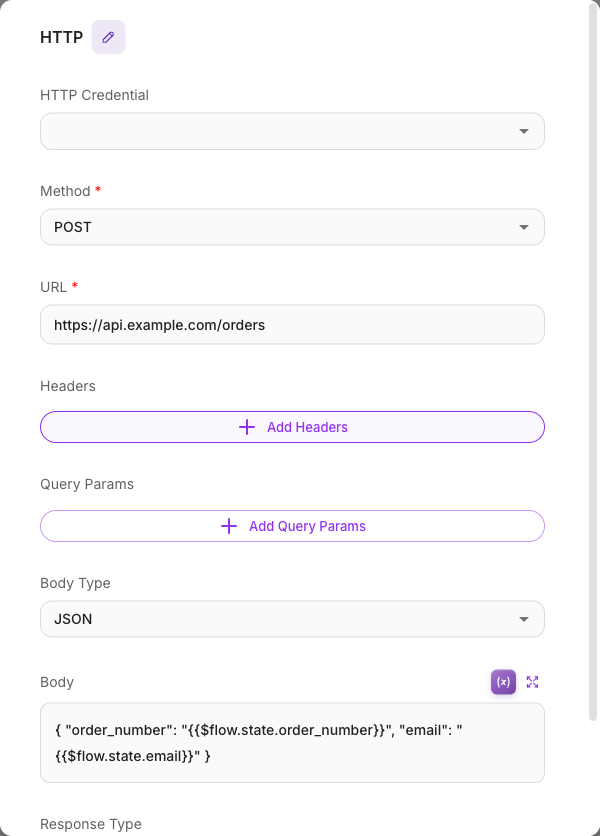
Inputs
| Parameter | Description | Required |
|---|---|---|
| Method | The HTTP method: GET, POST, PUT, DELETE, or PATCH. Default: GET. | Yes |
| URL | The endpoint to call. This field takes a literal string — {{ }} variables in the URL are not resolved and would be sent as-is. To put dynamic data into a request, use Query Params or the Body (both resolve variables). | Yes |
| Headers | Key/value header pairs (for example an Authorization or Content-Type header). Values can use variables. | No |
| Query Params | Key/value pairs appended to the URL as query string parameters. Values can use variables. | No |
| Body Type | The format of the request body: JSON, Raw, Form Data, or x-www-form-urlencoded. | No |
| Body | The request body. A text field for JSON/Raw, or key/value rows for form types. Shown based on the Body Type. | No |
| Response Type | How to read the response: JSON, Text, Array Buffer, or Raw (Base64). | No |
| Show Output in Chat | Whether this node's output appears in the chat history. Off by default. | No |
| Max Retries | If a request fails from a temporary issue, how many times to retry automatically (0 disables retries). Default 3. | No |
| Retry Delay (ms) | How long to wait before the first retry; the wait doubles after each failed attempt. Default 1000. | No |
An HTTP Credential (Basic Auth, Bearer Token, or API Key) can be attached to the node to handle authentication automatically instead of building the header by hand.
Outputs
The HTTP node has a single output: the API's response. Read it in later nodes, or capture parts of it into Flow Variables. If you set Response Type to JSON, the response is parsed so you can reference its fields.
Method, headers, and body
- Method + URL define the request. Use GET to read, POST/PUT/PATCH to send data, DELETE to remove.
- Headers carry things like authentication tokens and content type. For example,
Content-Type: application/json. - Query Params add filters to the URL, like
?status=open. - Body holds the data you send. Choose JSON for most APIs and write the payload in the body field. For file uploads or classic web forms, use Form Data or x-www-form-urlencoded and fill in key/value rows.
Template variables
The Headers, Query Params, and Body fields support {{ }} variables, so you can build requests from live conversation data:
- Header value:
Bearer {{$vars.apiToken}} - Query param value:
{{$flow.state.customerId}} - JSON body:
{ "message": "{{$question}}", "session": "{{$flow.sessionId}}" }
The URL field is the exception — it is sent literally, so a variable belongs in a query param, not in the path. To look up a specific record, pass its id as a query param (?id={{$flow.state.customerId}}) rather than embedding it in the URL path.
See Variables for the full list you can insert.
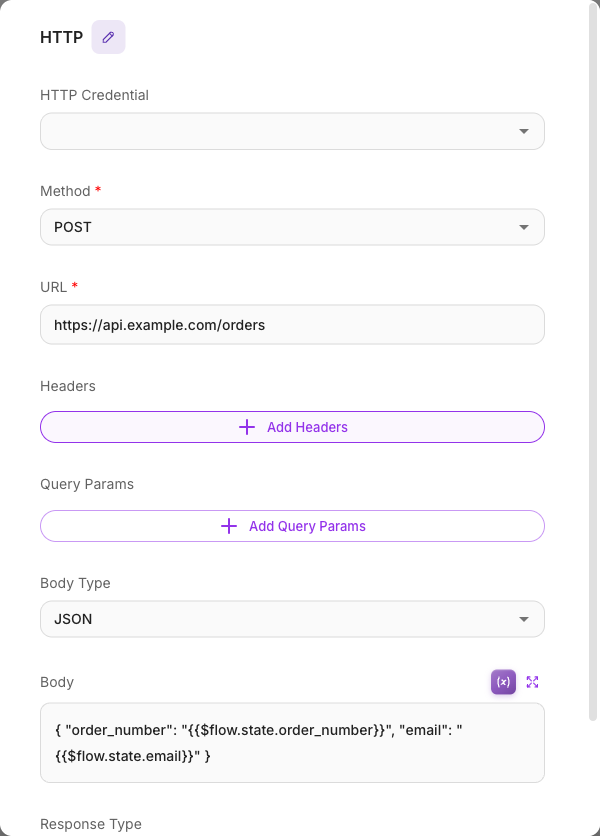
Example
Send a captured lead to an external CRM:
- Method: POST
- URL:
https://api.mycrm.com/v1/leads - Headers:
Authorization→Bearer {{$vars.crmToken}},Content-Type→application/json - Body Type: JSON
- Body:
{ "name": "{{$flow.state.name}}", "email": "{{$flow.state.email}}" } - Response Type: JSON
Tips
- Keep secrets out of plain text — store API tokens as Custom Variables (
{{$vars.myToken}}) or use an HTTP Credential. - Set Response Type to JSON when the API returns JSON so later nodes can read individual fields.
- Leave Max Retries on for flaky endpoints, but set it to 0 for actions that must not run twice (like a payment).
- If a request fails, open the execution trace to see the exact URL, status code, and response.
- Responses are limited to 10 MB (measured after decompression). A larger response fails the node with
HTTP response exceeds the 10 MB size limitand is not retried — ask the API for a smaller page of results, or filter on the API side.
Related
- HTTP Requests tool — the same idea, packaged as an agent tool
- Tool node
- Variables
- Custom Variables
- Calling an external API tutorial