Custom Variables
Custom variables are reusable values you define once for your whole workspace and reference in any flow with $vars.<name>. They're perfect for details that stay the same across flows — your company name, a support email, a default greeting, an API base URL.
{{$vars.companyName}}
{{$vars.supportEmail}}
Why use them
Without custom variables, a value like your support email gets copied into every flow that needs it. Change the email and you have to hunt through every flow. With a custom variable, you set it in one place and every flow that references {{$vars.supportEmail}} picks up the new value automatically.
Use custom variables for values that are:
- Shared across flows — your brand name, tone, standard disclaimers.
- Configuration-like — an external URL, a default limit, a fixed ID.
- Occasionally changed in one place — anything you'd rather update centrally than flow by flow.
Managing custom variables
Custom variables live in your workspace's Variables area, separate from any single flow. There you can add a variable (a name and a value), edit its value, or remove it.
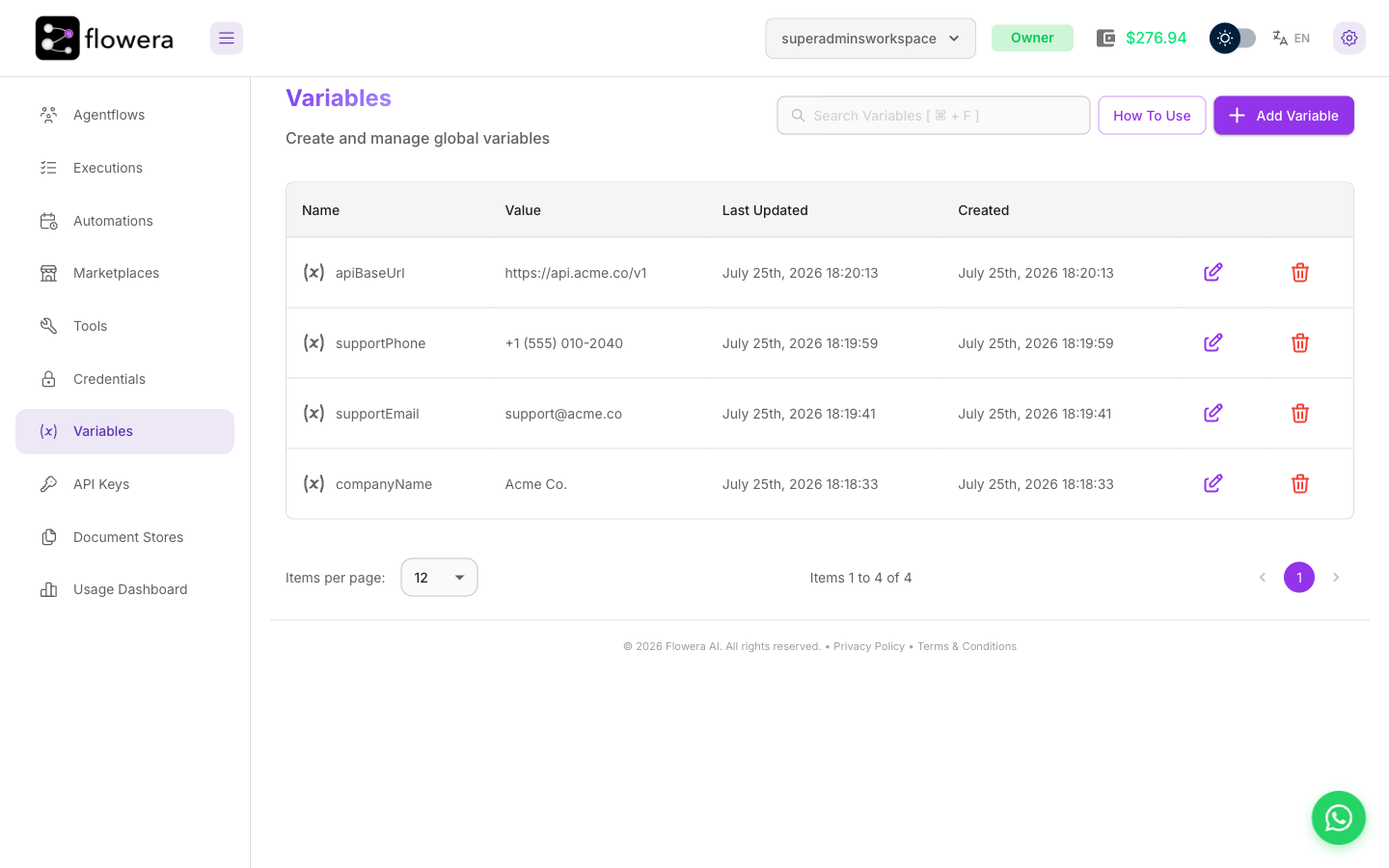
Once defined, a custom variable appears in every flow's variable palette under the Custom Variables category, ready to insert.
Using them in a flow
Open any variable-accepting field, find the variable under Custom Variables in the palette (or type {{ and start typing its name), and insert it:
You are a support agent for {{$vars.companyName}}.
If you can't help, tell the customer to email {{$vars.supportEmail}}.
At run time each {{$vars.<name>}} is replaced with the value you set.
Custom variables vs. flow state
These sound similar but do different jobs. Pick based on whether the value changes per conversation.
Custom variables ($vars) | Flow state ($flow.state) | |
|---|---|---|
| Scope | The whole workspace | A single conversation/session |
| Who sets it | You, in the Variables screen | The flow itself, as it runs |
| Changes during a conversation? | No — fixed for everyone | Yes — that's the point |
| Good for | Company name, support email, config values | The customer's name, their answers, running totals |
Rule of thumb: if the value is the same for every customer, use a custom variable. If it's different for each customer or changes as you talk to them, use flow state.