Chat Input Trigger
Chat Input is the default trigger. The flow starts whenever someone types a message into a chat window — the test panel on the canvas, an embedded chat widget on your website, or a shared chatbot link. This is the right choice for most conversational bots.
Adding it to a flow
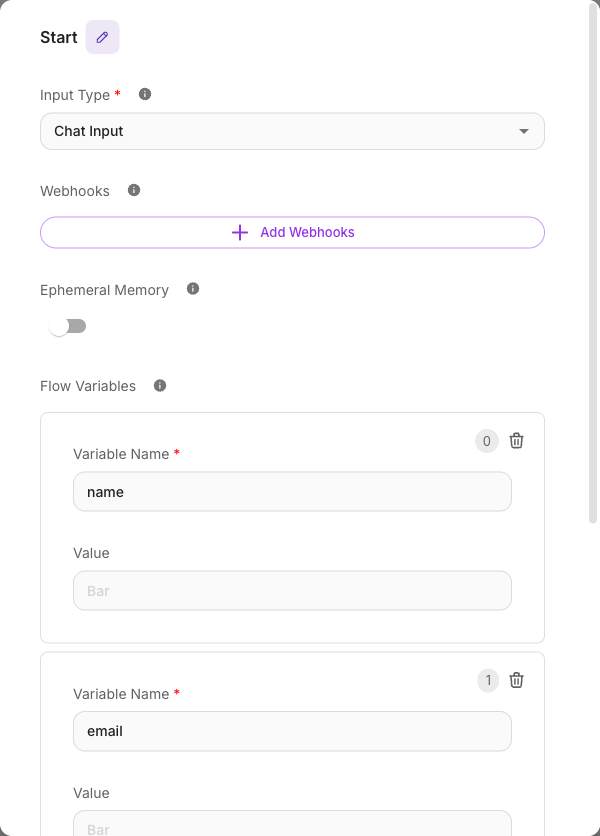
Chat Input is the Start node's default. Select the Start node, and under Input Type choose Chat Input.
Inputs
Chat Input has no trigger-specific fields of its own — it uses the Start node's shared settings.
| Parameter | Description | Required |
|---|---|---|
| Input Type | Set to Chat Input to trigger from a chat window. | Yes |
| Ephemeral Memory | When on, each run starts fresh with no past chat history. Leave off to keep conversation memory. | No |
| Flow Variables | Key/value pairs that seed the flow's state at the start of a run. | No |
| Persist Variables | When on, flow state is kept across turns in the same session (on by default). | No |
See the Start node page for how these shared settings behave.
Where the chat comes from
A Chat Input flow can be reached three ways — all of them feed the same trigger:
- Internal test panel — the chat panel on the canvas, for building and testing.
- Embedded widget — a chat bubble you drop onto your website.
- Shared chatbot link — a standalone hosted page you can send to anyone.
Whatever the source, the visitor's typed message arrives as {{$question}}, and the conversation is grouped into a session so the bot remembers earlier turns.
Use the canvas test panel to iterate quickly. Everything you test there behaves the same way as the embedded widget and shared link once the flow is deployed.
Example
A simple website assistant: Chat Input → Agent → reply. The visitor types "What are your opening hours?", the message arrives as {{$question}}, the Agent answers, and the reply appears in the chat window.
Tips
- The user's message is always available as
{{$question}}. See Variables for the full list of chat-context variables. - Turn on Ephemeral Memory for stateless, one-shot answers where each message should be treated independently.