Credentials
A credential is how Flowera proves it's allowed to talk to something outside itself — your Instagram account, an AI provider, a database, your own API. Store it once on the Credentials page and every flow in the workspace can use it without anyone pasting a secret into a node.
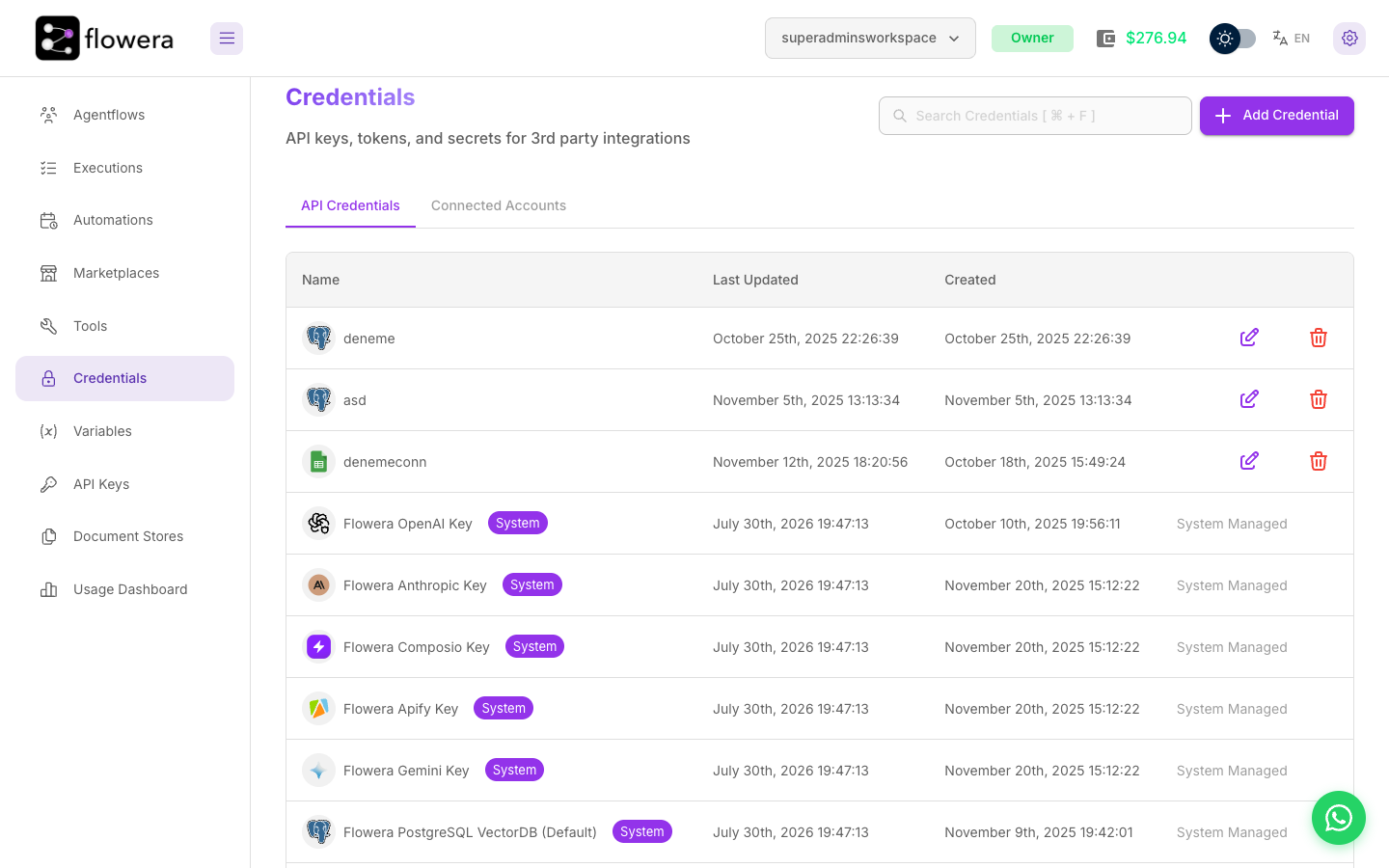
Two kinds, two tabs
| Tab | What lives there | How it's created |
|---|---|---|
| API Credentials | Keys, tokens, and passwords you paste in — AI providers, databases, search APIs, HTTP auth | Add Credential, then fill the fields |
| Connected Accounts | Accounts you authorise through the provider's own login — Instagram, WhatsApp, Zoho | Add Platform, then complete the provider's popup |
Connected Accounts is split into Messaging Channels and CRM. Accounts there show live status — whether they're Active, when the token expires, and whether they need reconnecting — because unlike a pasted key, an authorised account can go stale on its own.
Adding an API credential
Press Add Credential and pick the type. Flowera ships around a hundred, covering:
- AI providers — OpenAI, Anthropic, Google, Mistral, Groq, Cohere, OpenRouter, and more
- Vector stores and databases — Postgres, Pinecone, Qdrant, Chroma, MongoDB, Redis, Milvus
- Search and web — Brave, Exa, Google Custom Search, FireCrawl, Perplexity
- Productivity — Google Sheets, Docs, Drive, Gmail, Calendar, Notion, Jira, Confluence, GitHub
- Generic HTTP auth — API key, bearer token, or basic auth for the HTTP node
Each type asks only for what it needs. Give the credential a Credential Name you'll recognise
in a dropdown six weeks from now — acme-prod-openai beats key1.
Some types authenticate through OAuth instead of a pasted key. Those show an Authenticate button and an OAuth Redirect URL; you approve access in the provider's own window and Flowera stores the resulting token.
System-managed credentials
Some entries are labelled System and System Managed. These are platform keys Flowera provides so you can pick a model or a tool and have it work with no setup — OpenAI, Anthropic and Gemini for models, plus keys for Composio, Apify, Google Custom Search and the default PostgreSQL vector store. You can use them but not edit or delete them, and their usage bills to your Flowera wallet.
Add your own provider credential when you'd rather bill your provider account directly, or need a model the platform key doesn't cover. See LLM providers.
What credentials are used by
| Credential | Used by |
|---|---|
| Instagram, WhatsApp, Zoho accounts | Their triggers and tools |
| AI provider keys | LLM, Agent, Condition Agent, Human Input |
| Vector store and embedding keys | Document stores and the Retriever |
| HTTP auth | HTTP node and custom tools |
Security
- Secrets are encrypted at rest and never displayed again. Reopen a credential and you see its name and dates, not the key. To change a secret you overwrite it.
- Credentials are workspace-scoped. Another workspace cannot see or use them, which is what keeps client work separate.
- Deleting one breaks the flows that use it — immediately, with no warning to the flow. Repoint the nodes first.
- Rotate on staff changes. A key that several people have seen is a key that should be replaced when one of them leaves.
In this section
- Instagram — connect a Business or Creator account
- WhatsApp — connect a number with Embedded Signup
- Zoho CRM — connect an organization
- LLM providers — bring your own model keys