API Keys
An API key lets something outside Flowera act inside your workspace — your backend calling a flow, a script creating flows, an AI assistant managing them through the MCP server.
What API keys are for
| You want to… | Use |
|---|---|
| Run a flow from your own code and get the answer back | Prediction API |
| Build, read, or edit flows programmatically | The MCP server |
| Let an embedded widget or shared link talk to a protected flow | The key configured on that flow |
A key identifies a workspace, not a person. Whatever it can do, it does as that workspace — which is why one key per integration, rather than one key shared by everything, is the habit worth having.
Creating a key
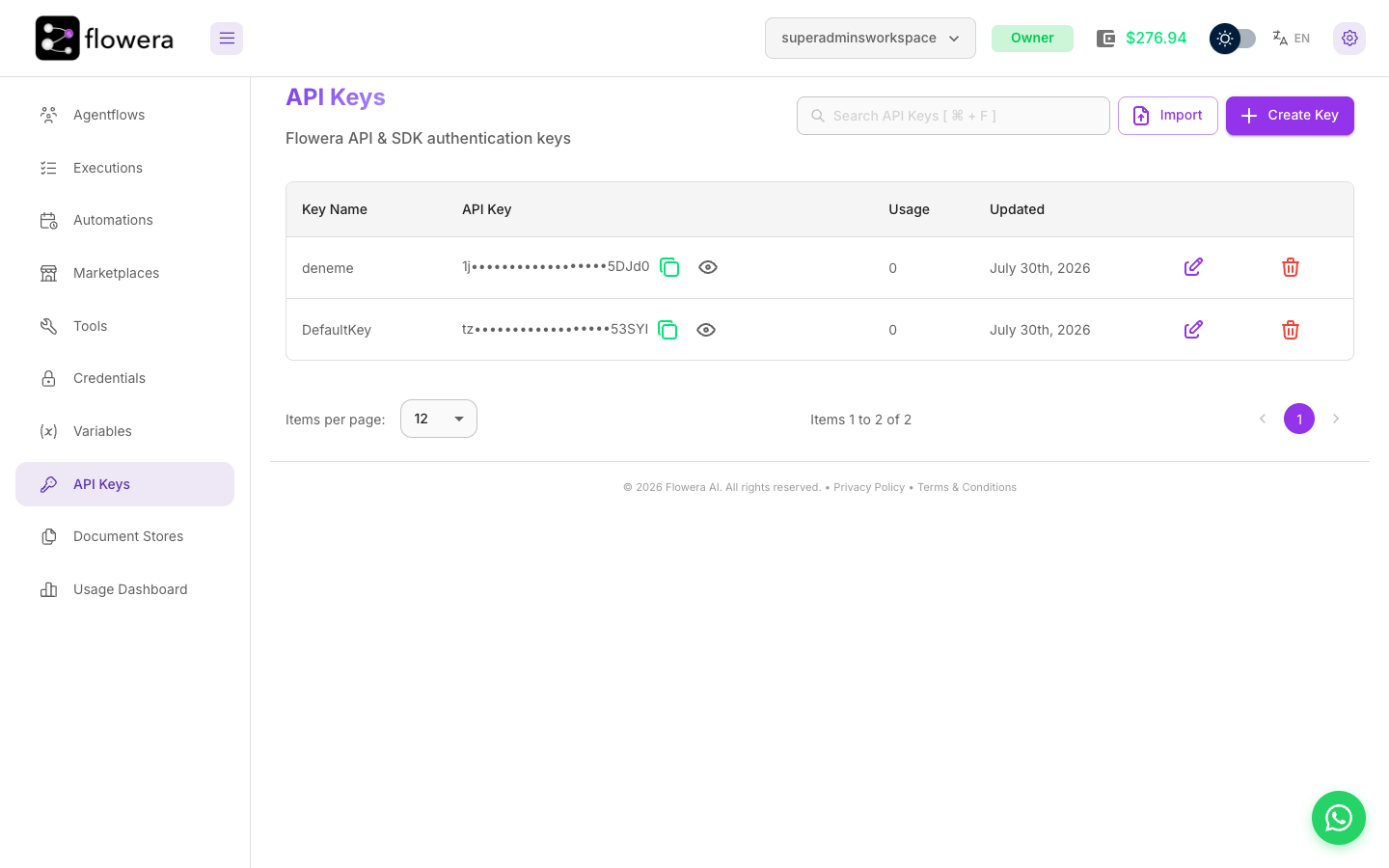
On the API Keys page, press Create Key and give it a name. Name it after the thing that
will use it — website-widget, nightly-sync, claude-mcp — because in six months the name is
the only clue you'll have about what breaks if you delete it.
The list shows each key masked — the first two characters, eighteen dots, then the last five (tz••••••••••••••••••53SYI), when it was last updated, and a Usage
count of how many flows currently reference it. Copy the full value when you create it.
Importing keys from JSON
Import loads keys from a JSON file. This is for moving an existing setup — migrating between Flowera installations, or restoring from a backup — so integrations keep working without every consumer being reconfigured.
Revoking a key
Delete the key from the list. It stops working immediately, everywhere.
Check the Usage column first. A key referenced by three flows will take those three
integrations down with it, and nothing will warn the callers beyond a sudden 401.
Keeping keys safe
- Server-side only. A key in front-end JavaScript is a key anyone can read with Developer Tools — and use to run your flows on your credits.
- One key per integration. When one leaks, you revoke one thing instead of auditing everything.
- Rotate by overlap. Create the new key, move consumers to it, then delete the old one. There is no grace period on a delete.
- Never in git. Environment variables, a secrets manager, anything but the repository.
- Watch the wallet. A leaked key spends real credits. An unexplained jump in the Usage Dashboard is worth investigating the same day.
Flowera stores keys so you can copy them again, but that convenience is exactly why a stolen key stays useful to the thief. If you suspect a leak, revoke first and reconnect afterwards.
Related
- Prediction API — calling a flow from your own code
- Credentials — keys for outside services, which are a different thing
- Usage Dashboard — spotting usage you didn't expect