Manual Mode
Sometimes a conversation needs a human. Manual mode lets an operator take over a session: the AI stops replying, and you answer the customer yourself. You can switch a conversation to manual mode from View Messages — and, for Instagram, it can switch on automatically the moment a teammate replies from the Instagram app.
Taking over a conversation
- Open View Messages and find the conversation.
- Flip the manual mode switch next to the session. The AI immediately stops responding to that conversation.
- Type your reply in the message box and send. Replies are limited to 1000 characters each — a live counter shows what's left; send several messages for longer answers.
- Turn the switch back off when you're done, and the AI resumes handling the conversation.
Manual mode is tracked per conversation, so turning it on for one customer never affects any other. A bulk toggle lets you switch every visible session at once.
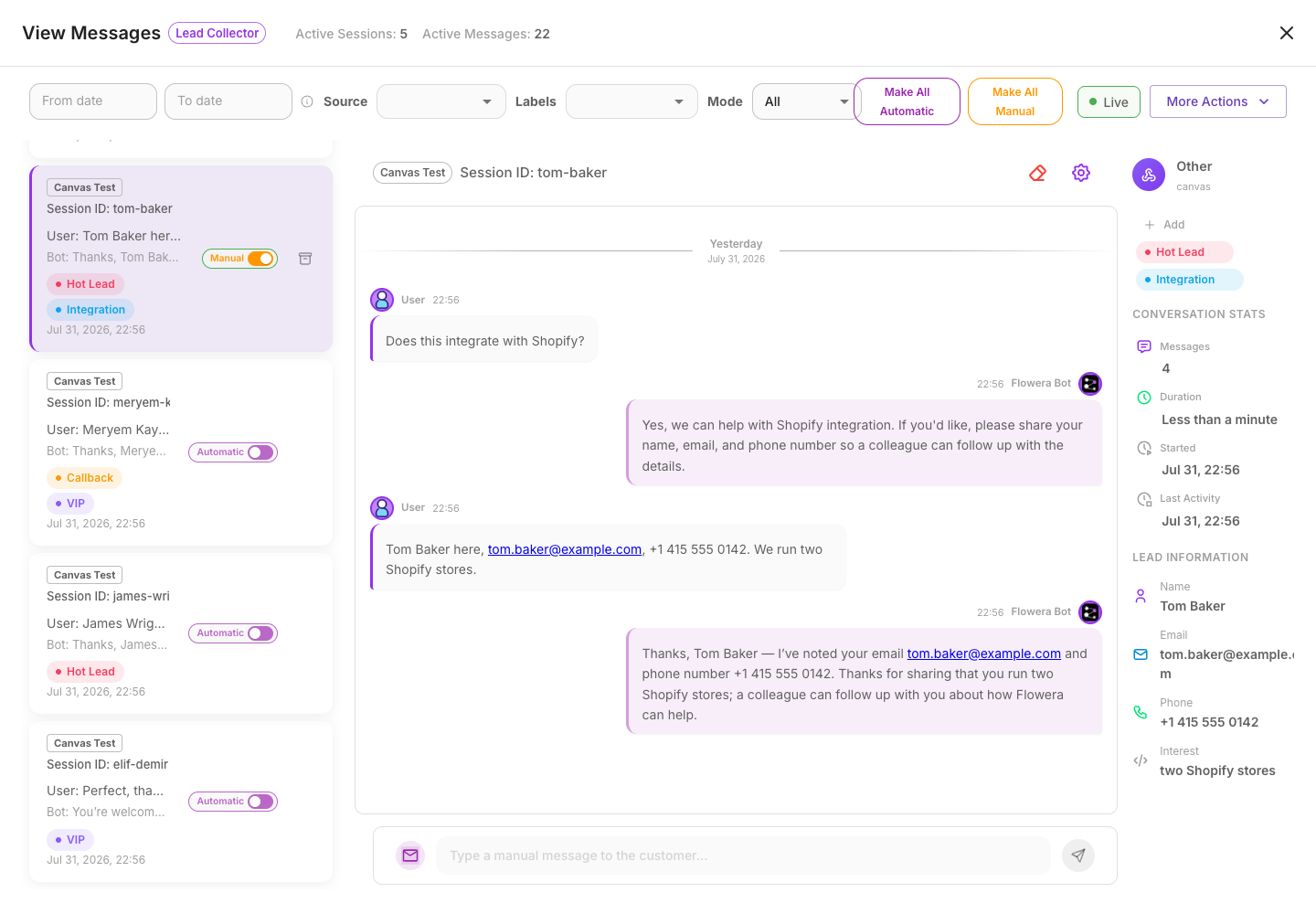
Operator messages are saved into the conversation transcript just like customer messages and bot replies, so the history stays complete. On the next AI turn, the AI can even see what you told the customer, so it doesn't contradict you.
Instagram: automatic takeover
Operators often answer Instagram DMs straight from the Instagram app rather than from Flowera. When that happens, Flowera notices the operator's reply and automatically switches that conversation to manual mode — so the AI doesn't keep replying on top of a human. Your reply is also captured into the Flowera transcript, so the conversation history stays complete no matter where you typed it.
A few details worth knowing:
- A typed reply triggers the takeover. A text message (in any language, or a media share with a caption) switches the conversation to manual. A media-only share with no text — a reel, a story, an image, a sticker, an emoji reaction — is saved to the transcript but does not silence the AI, because those are almost never a real human handoff.
- Ad greetings don't silence the AI. When someone taps an Instagram ad, Meta sends an automated welcome message on your behalf. Flowera recognizes these as ad messages — they show in View Messages but never switch the conversation to manual — so the AI keeps engaging paid leads.
- It's temporary by default. An Instagram takeover that switched on automatically turns itself back off after a period of operator inactivity (24 hours by default), so a one-off reply doesn't silence the bot forever. Each new operator reply resets the timer. A conversation you switched to manual by hand in View Messages is exempt — it stays manual until you turn it off.
You can control this per Instagram trigger with the Auto-switch to manual mode on operator reply toggle on the Instagram trigger. It's on by default. Turn it off for accounts you drive with your own outside automation, so those automated sends don't switch the AI off.
If a teammate replies to an Instagram DM with only a photo, reel, or sticker (no text), the AI keeps replying — that's intentional. To hand a conversation to a human for good, send a typed reply or switch on manual mode by hand in View Messages.
Using manual mode in your flow
While a conversation is in manual mode, your flow can see it through these values:
| Variable | What it tells you |
|---|---|
{{$flow.manual.is_manual_mode}} | Whether the conversation is currently in manual mode |
{{$flow.manual.is_manual_message}} | Whether the current turn is an operator's message |
{{$flow.manual.from}} | Where the operator replied from — panel (the View Messages panel) or instagram (the native Instagram app) |
A common use is to add a Condition node early in the flow that checks {{$flow.manual.from}}. When an operator's Instagram reply comes in, you can route it to a branch that quietly extracts details (like a lead's info the operator typed) instead of sending another message to the customer.
Flowera won't send duplicate replies during an operator's turn — outbound message sends are automatically skipped while a human is handling the conversation, so a takeover can never bounce a copy back to the customer.
Troubleshooting
- The AI kept replying after a teammate answered on Instagram. The reply was probably media-only (a reel, image, or sticker with no text), or the trigger's Auto-switch to manual mode on operator reply toggle is off. Send a typed reply, or switch on manual mode by hand.
- The AI came back on a day later. An automatic Instagram takeover turns itself off after a day of operator inactivity. For a permanent hold, switch on manual mode by hand in View Messages — those never auto-disable.
Related
- View Messages — where you switch manual mode on and reply
- Instagram trigger — the per-trigger auto-switch toggle
- Condition — branch on
$flow.manual.* - Variables — the full variable reference